
Selling your content
Sell a video
Put a one-time price on a single video so viewers can buy permanent access.
Before you start
By the end viewers see a Buy Now button on the video and keep access after they pay.
Before you start
- You are an owner or accounting manager of the organization.
- The video is uploaded and published.
- Stripe is connected (Connect Stripe to get paid).
Steps
Step 1: Open your organization and choose Manage → Offers
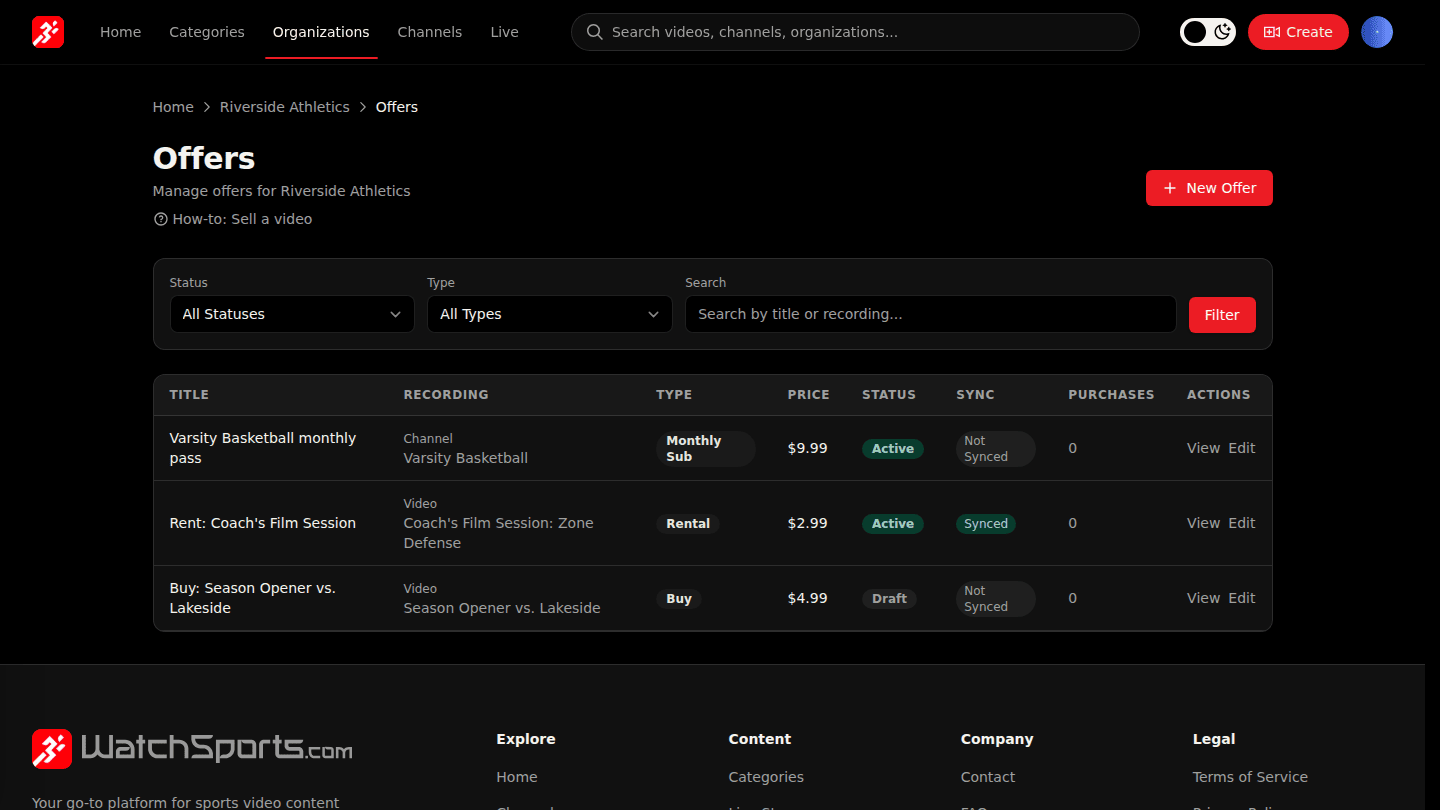
Open your organization page and choose Manage → Offers. Every price you sell content at lives on this page.
Step 2: Choose New Offer and pick the video
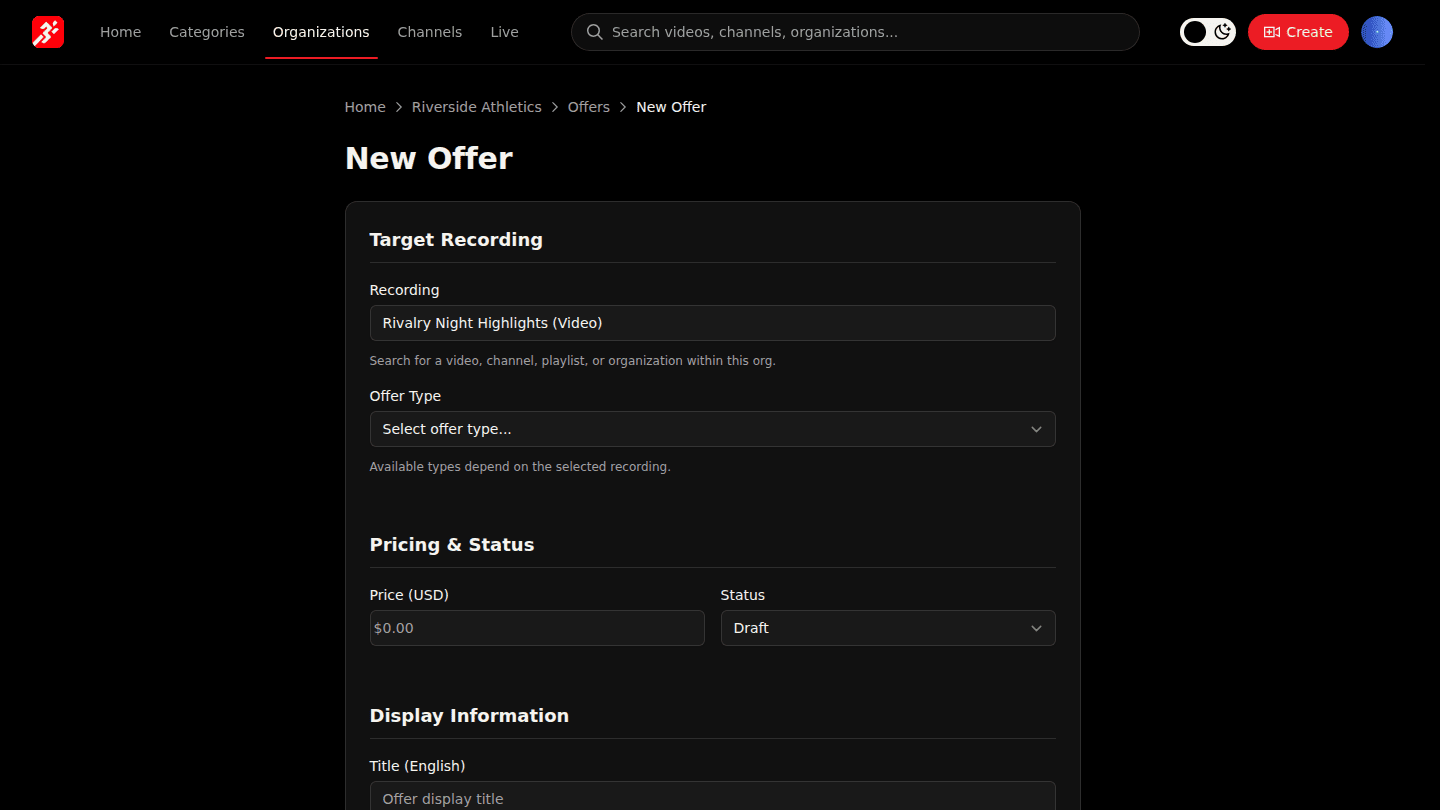
Choose New Offer. Under Recording, start typing the video's name and pick it from the list.
Step 3: Choose Buy and set the price
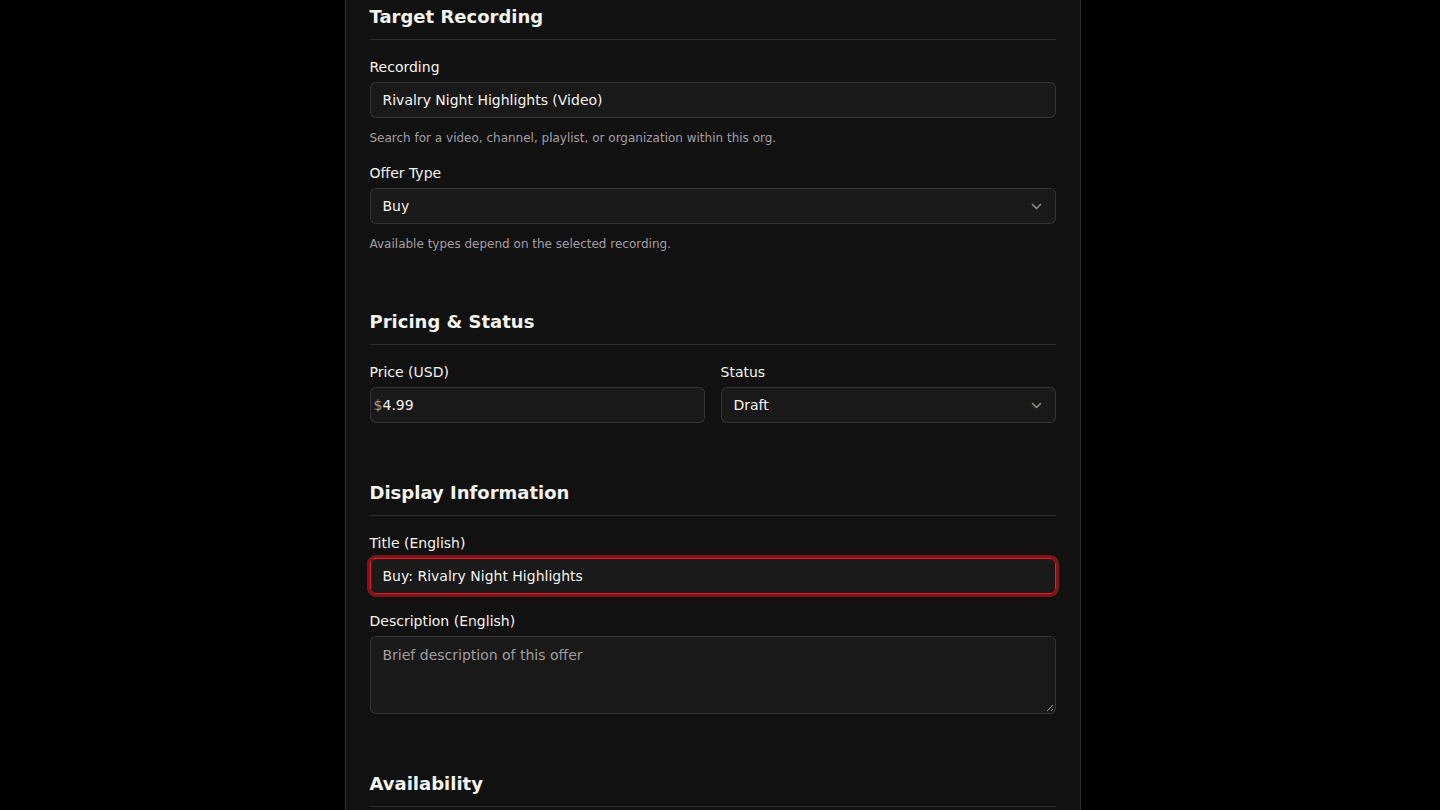
Set Offer Type to Buy, enter the Price in dollars and give the offer a Title viewers will see. Leave Status as Draft for now.
Step 4: Choose Create Offer
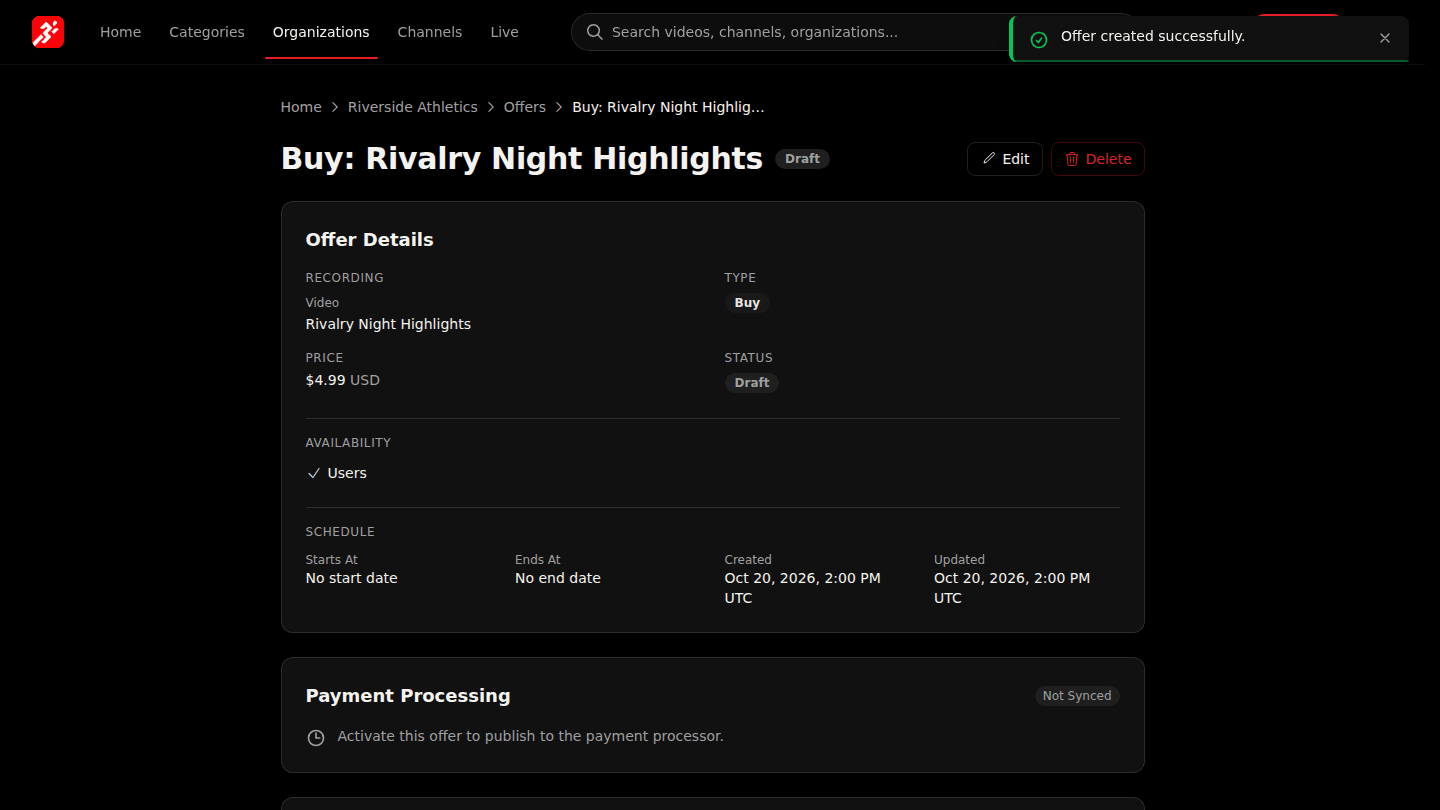
Choose Create Offer. The offer is saved as a Draft, so nothing changes for viewers yet.
You should see
The offer page with a Draft badge. Viewers see nothing yet: continue with Activate an offer.
How it works
A Buy offer covers only that video. To sell a group of videos, put the offer on a channel or create a bundle. You cannot change the offer type or the video after saving, but you can change the price at any time; existing buyers keep what they paid for.