
Selling your content
Connect Stripe to get paid
Set up the payment account that receives your share of every sale.
By the end your organization has a verified payment account, which is required before any offer can be activated.
Before you start
- You are the owner of the organization.
- Have your bank details and, for a company, your registration details ready. Stripe asks for them.
Steps
Step 1: Open your organization and choose Manage → Payments
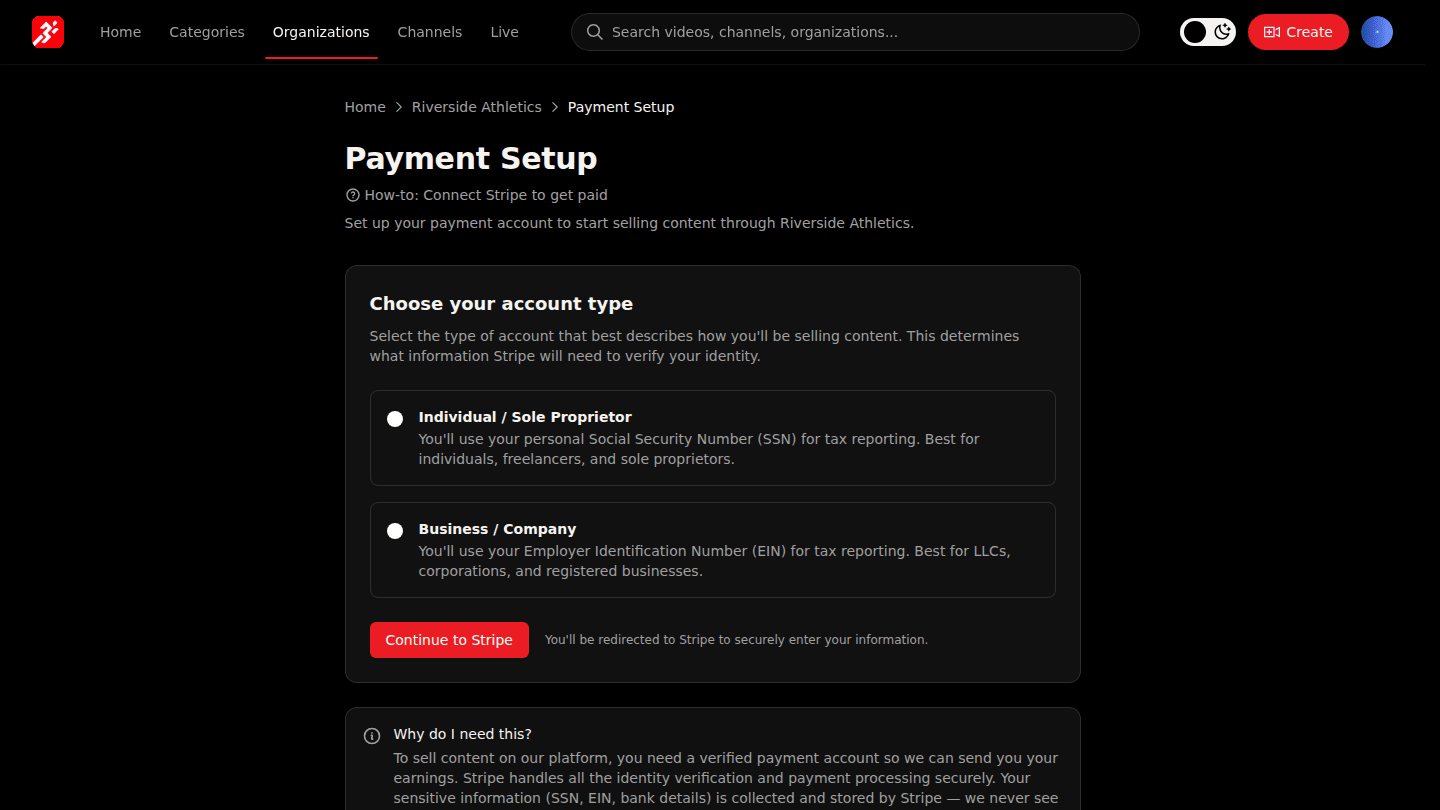
Open your organization page and choose Manage → Payments.
Step 2: Choose your account type and Continue to Stripe
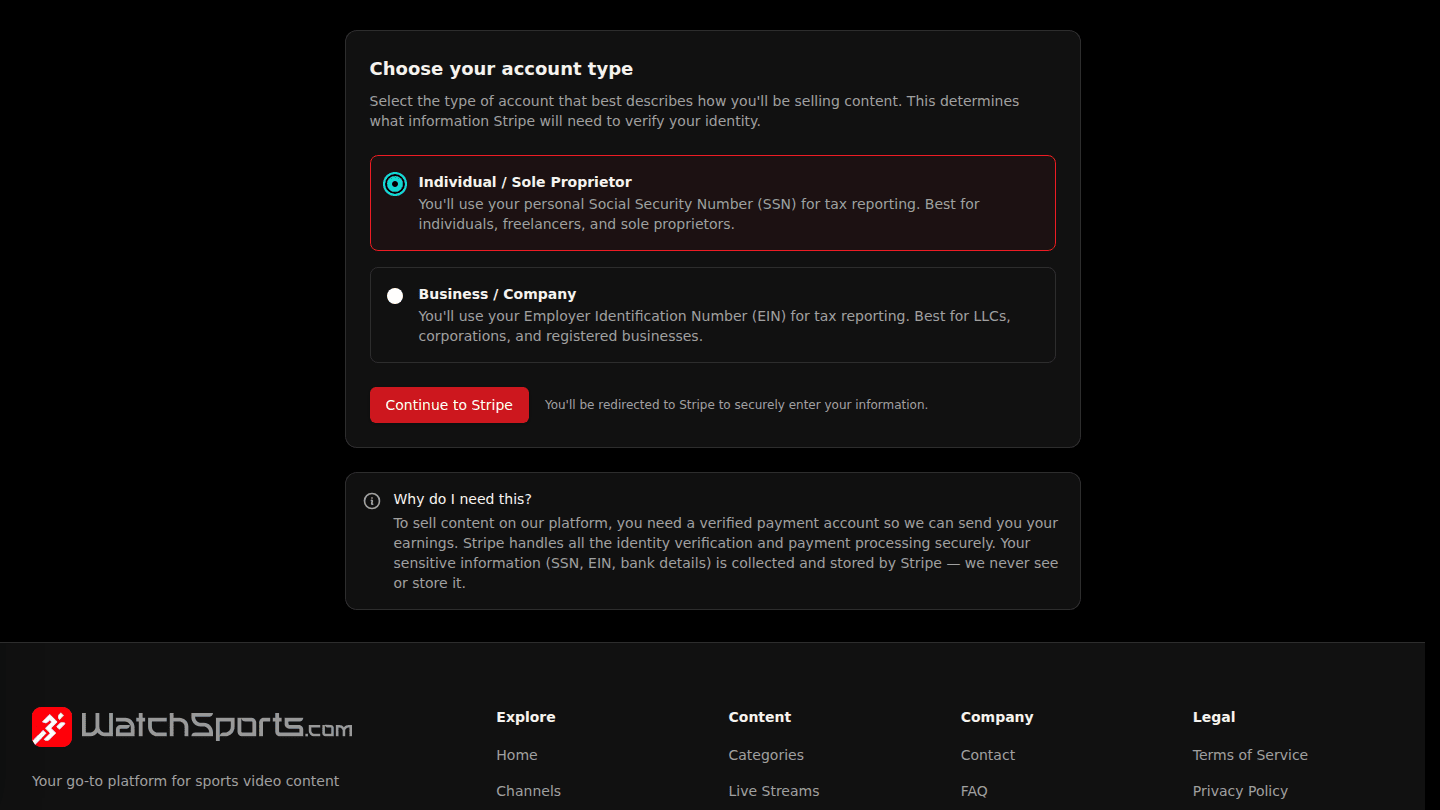
Pick Individual or Company, then choose Continue to Stripe. Stripe collects your identity and bank details on its own secure pages and sends you back here when you finish.
Step 3: Come back to see Payment account verified
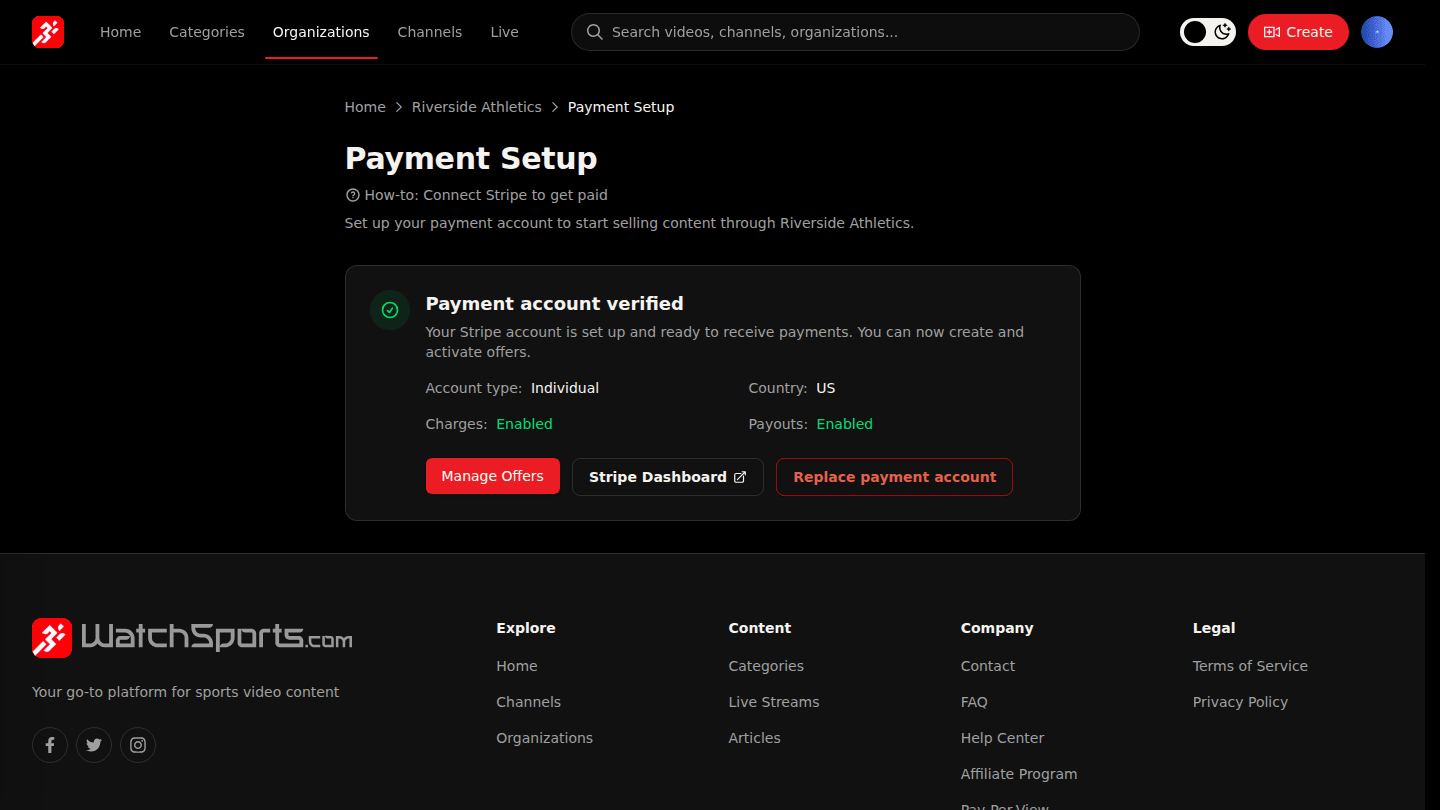
When Stripe has checked your details, this page shows Payment account verified. Until then it shows what Stripe still needs.
You should see
Payment account verified on the Payments page. Until Stripe finishes its checks the page shows Verification in progress or lists what is still required.
How it works
Viewers pay the platform; the platform pays your share to this Stripe account on the payout schedule shown under Manage → Finances. Each organization has its own account.