
Selling your content
Activate an offer
Switch a draft offer on so viewers see it, and get it published for payment.
Before you start
By the end the offer shows on the content and, once published, viewers can pay.
Before you start
- The offer exists as a Draft (Sell a video).
- Stripe is connected; an offer cannot be activated without a verified payment account.
Steps
Step 1: Open the draft offer from Manage → Offers
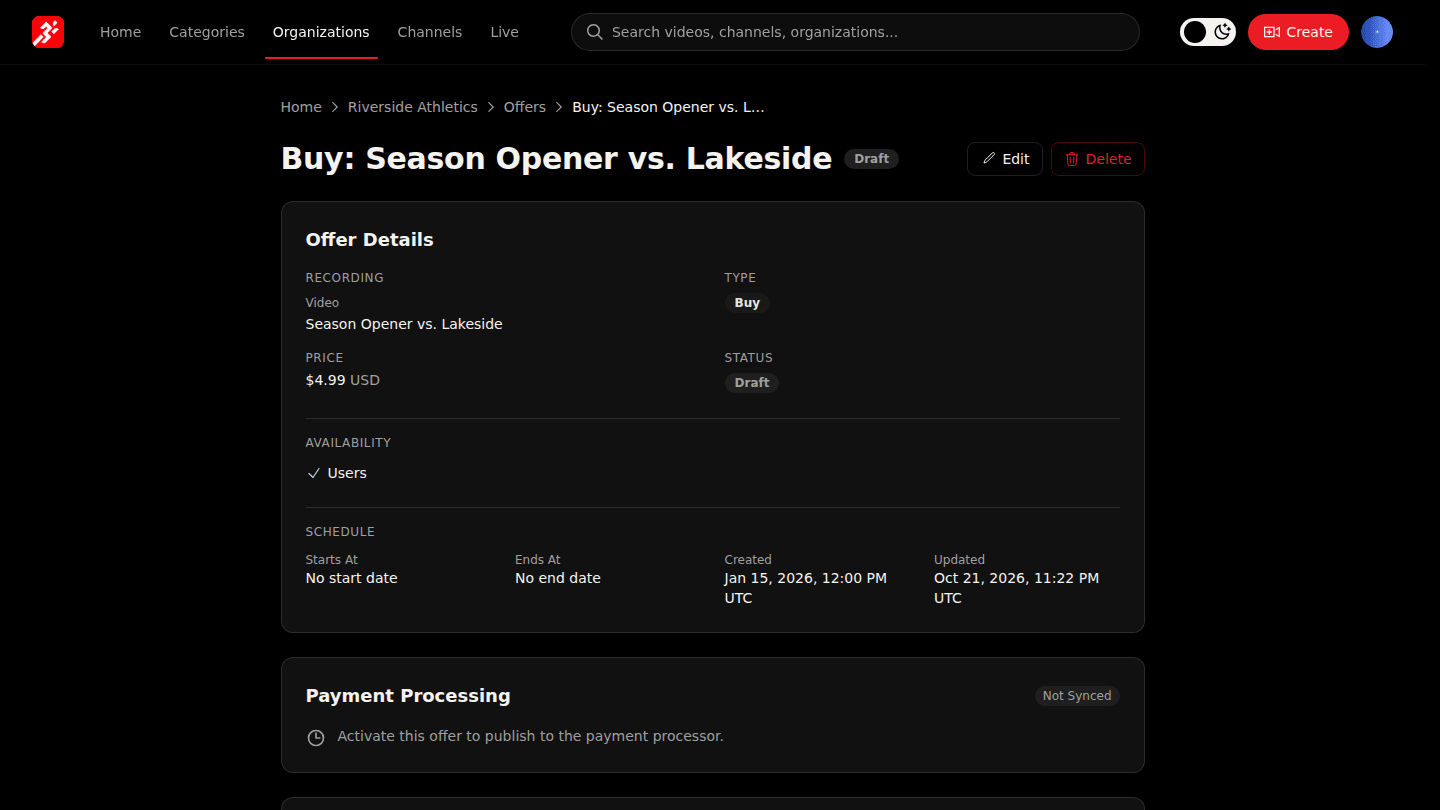
Open your organization page, choose Manage → Offers and open the draft offer. Choose Edit.
Step 2: Set Status to Active
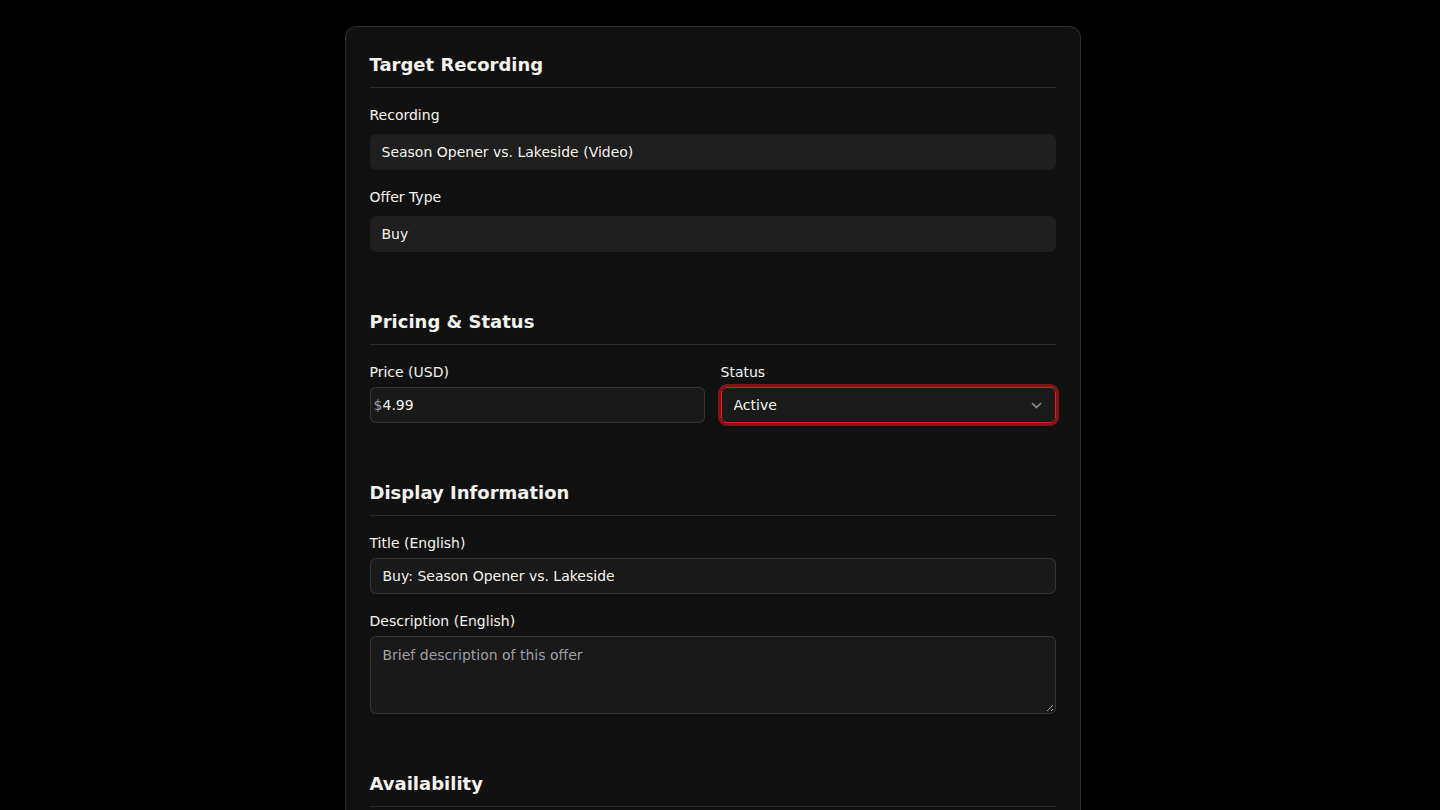
Change Status from Draft to Active and choose Update Offer. From this moment the content is paywalled for viewers without access.
Step 3: Check Payment Processing
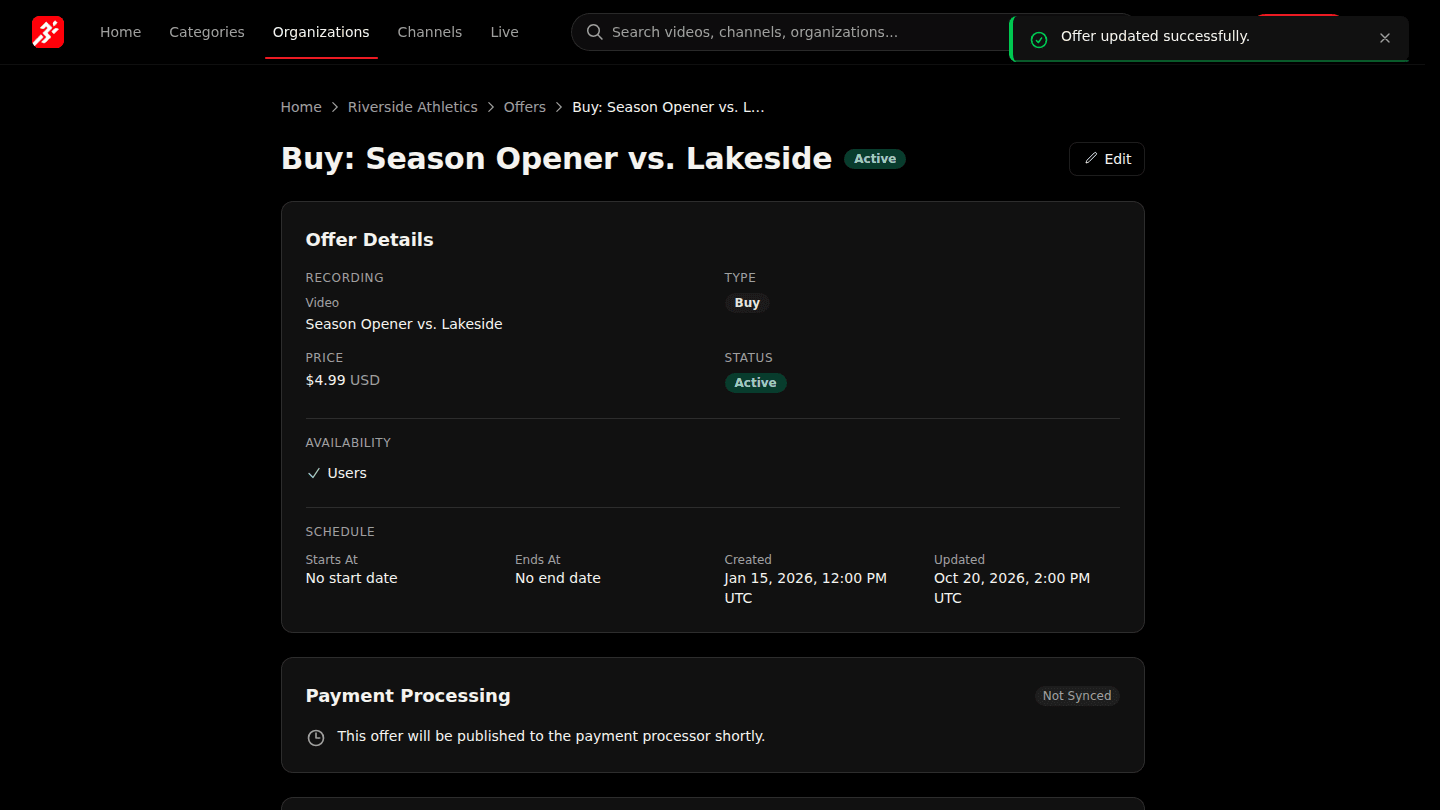
After saving, look at Payment Processing on the offer page. A platform administrator publishes the offer to the payment processor; viewers can pay only after it shows as published.
You should see
An Active badge on the offer. Payment Processing shows Not Synced until the platform team publishes the offer, then Synced.
How it works
Activating is immediate and paywalls the content. Taking payment needs one more step done by the platform team: publishing the offer to the payment processor. While Payment Processing says Not Synced, viewers see the offer but cannot check out yet. See Check the paywall as a viewer.