
Organization playlists
Sell a playlist
Sell a playlist as a package with a one-time price or a rental.
For creators
Roles: Owner, Accounting manager
Before you start
By the end viewers can buy or rent the whole playlist at once.
Before you start
- You are an owner or accounting manager.
- Stripe is connected (Connect Stripe to get paid).
Steps
Step 1: Choose New Offer and pick the playlist
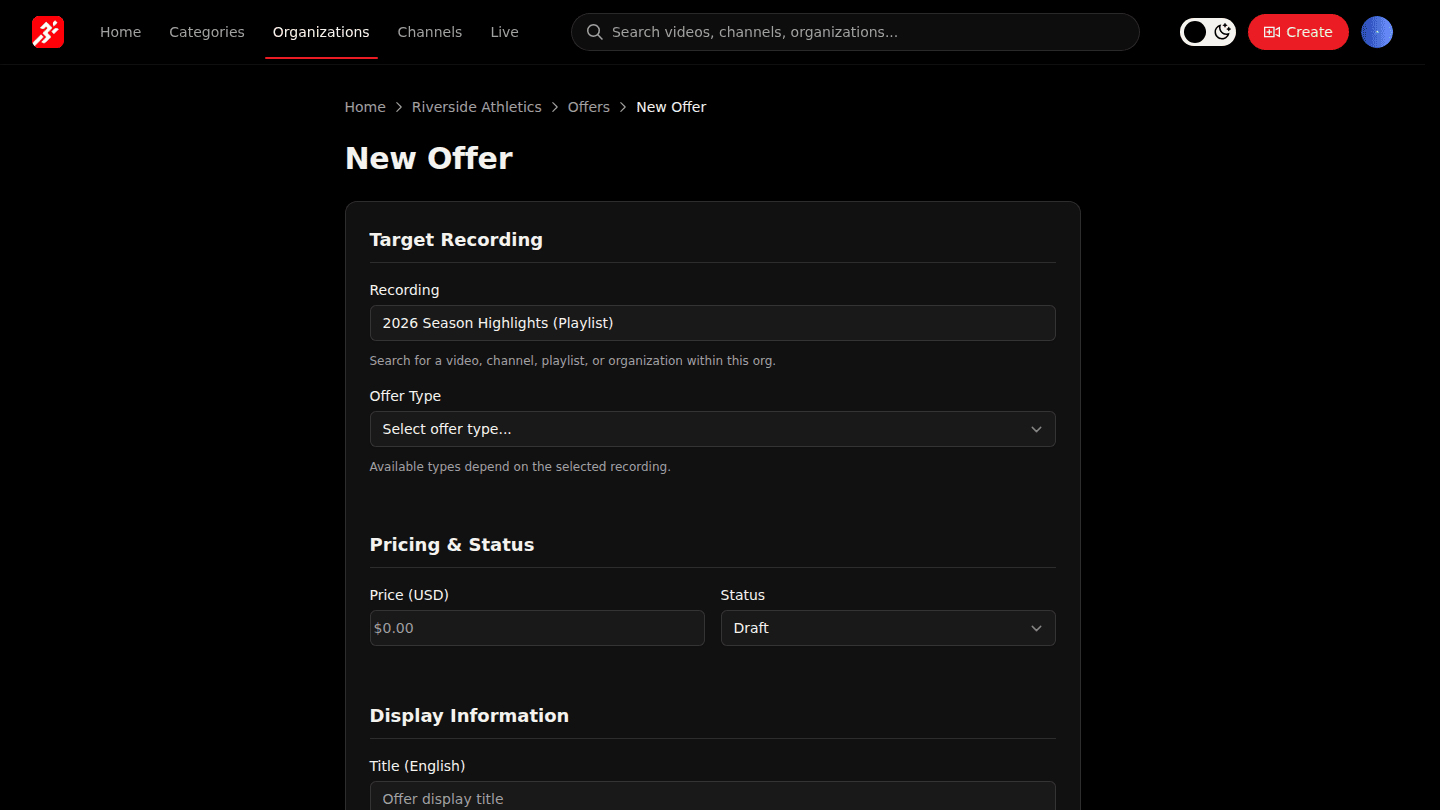
Open your organization page, choose Manage → Offers, then New Offer. Under Recording pick the playlist.
Step 2: Choose Buy or Rental and set the price
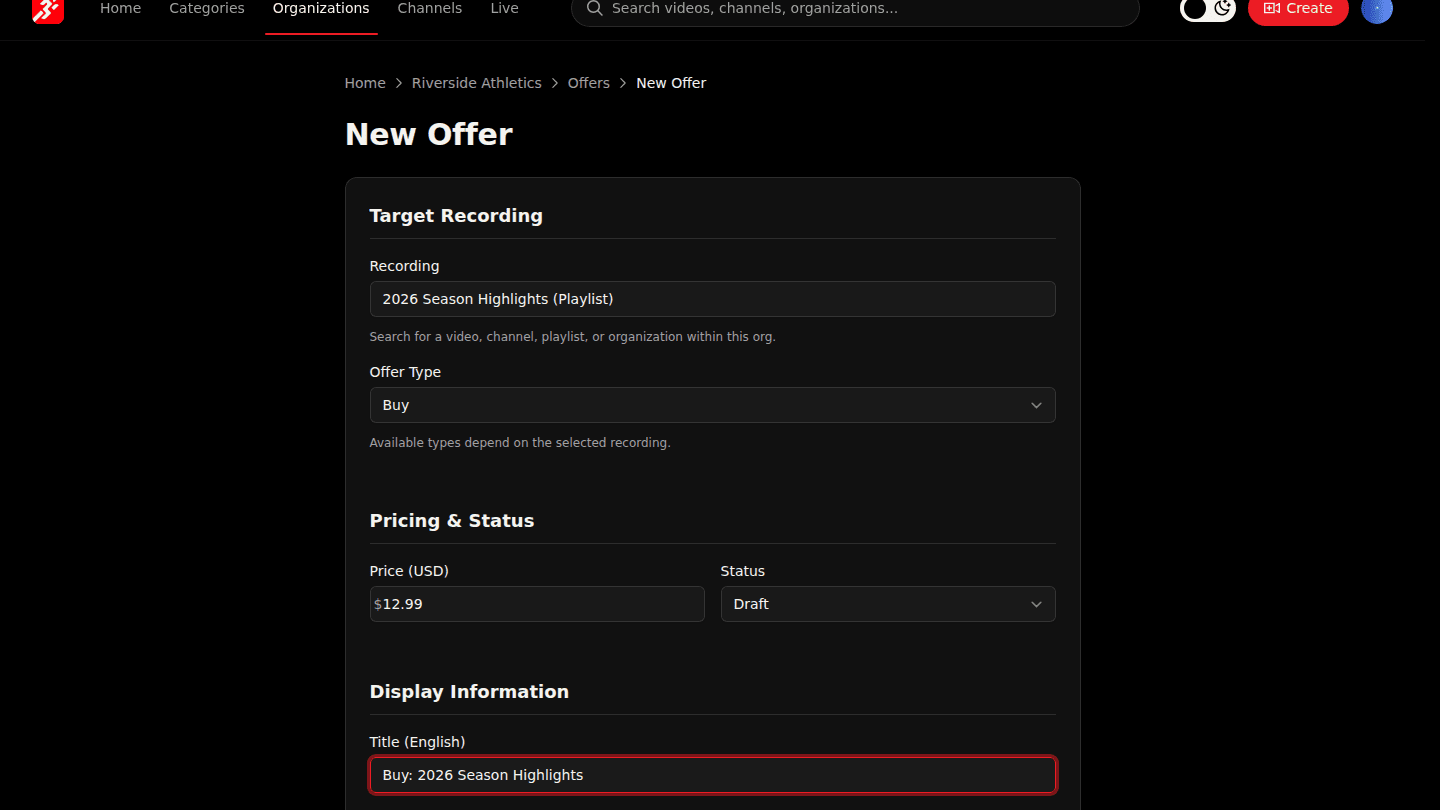
Playlists can be sold with Buy or Rental. Choose the type, set the Price and give the offer a Title.
Step 3: Choose Create Offer
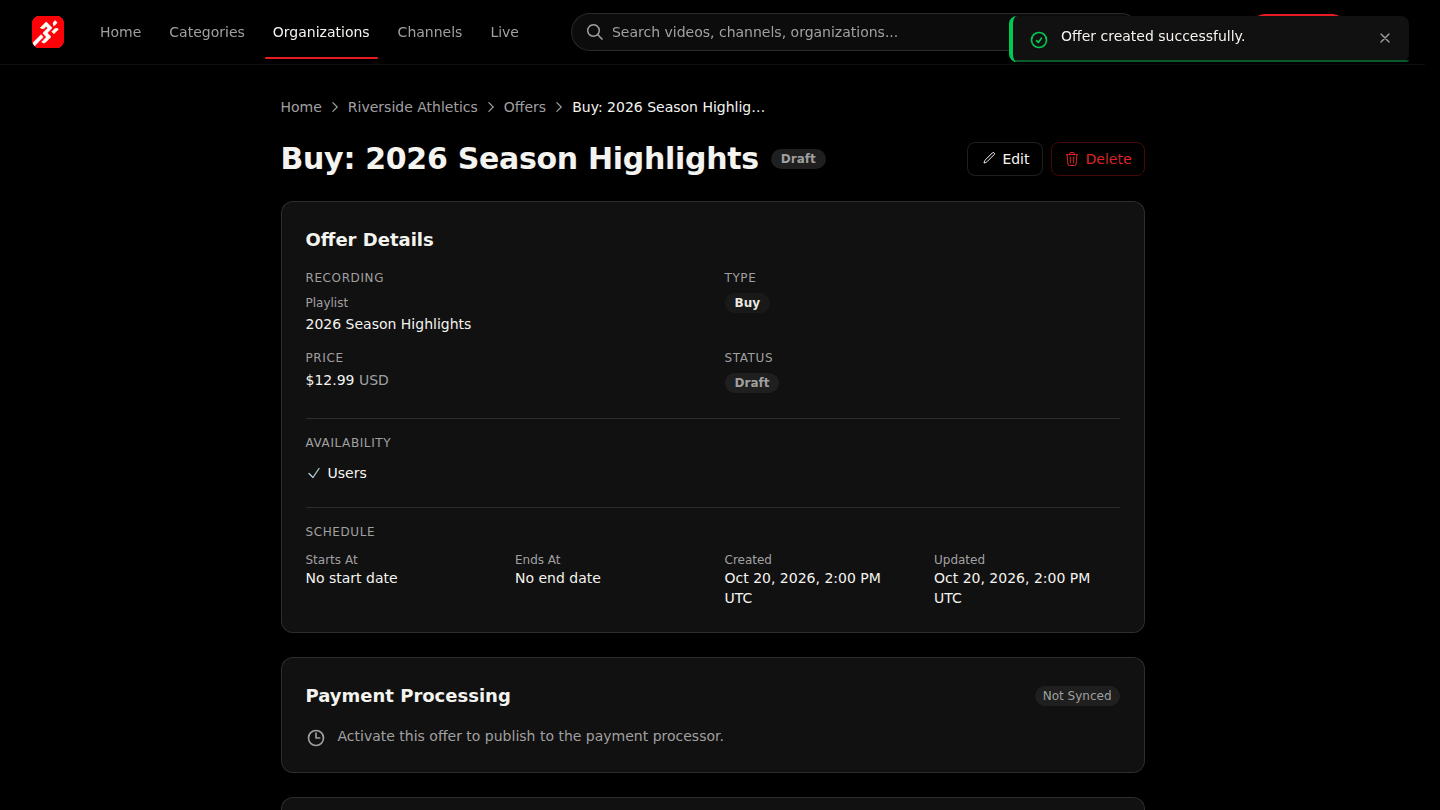
Choose Create Offer. Buyers get every video in the playlist, including ones you add later. Activate it when you are ready (Activate an offer).
You should see
The offer page with a Draft badge; activate it to start selling.