
Selling your content
Sell a subscription
Sell monthly access to everything in your organization or in one channel.
Before you start
By the end viewers can subscribe monthly and watch every video the offer covers.
Before you start
- You are an owner or accounting manager of the organization.
- Stripe is connected (Connect Stripe to get paid).
Steps
Step 1: Choose New Offer and pick your organization or a channel
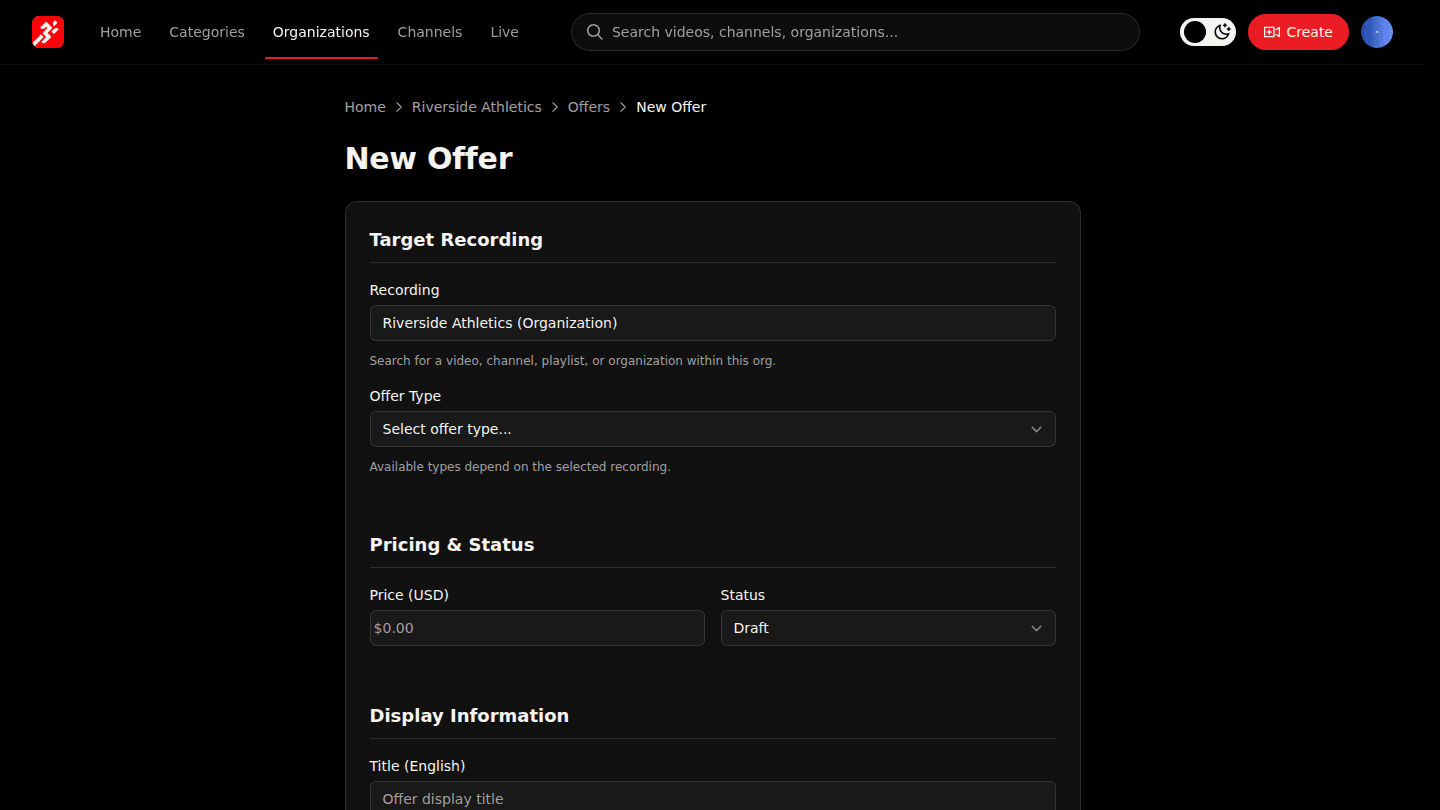
Open your organization page, choose Manage → Offers, then New Offer. Under Recording pick your organization (everything you publish) or a channel.
Step 2: Choose Monthly Subscription and set the monthly price
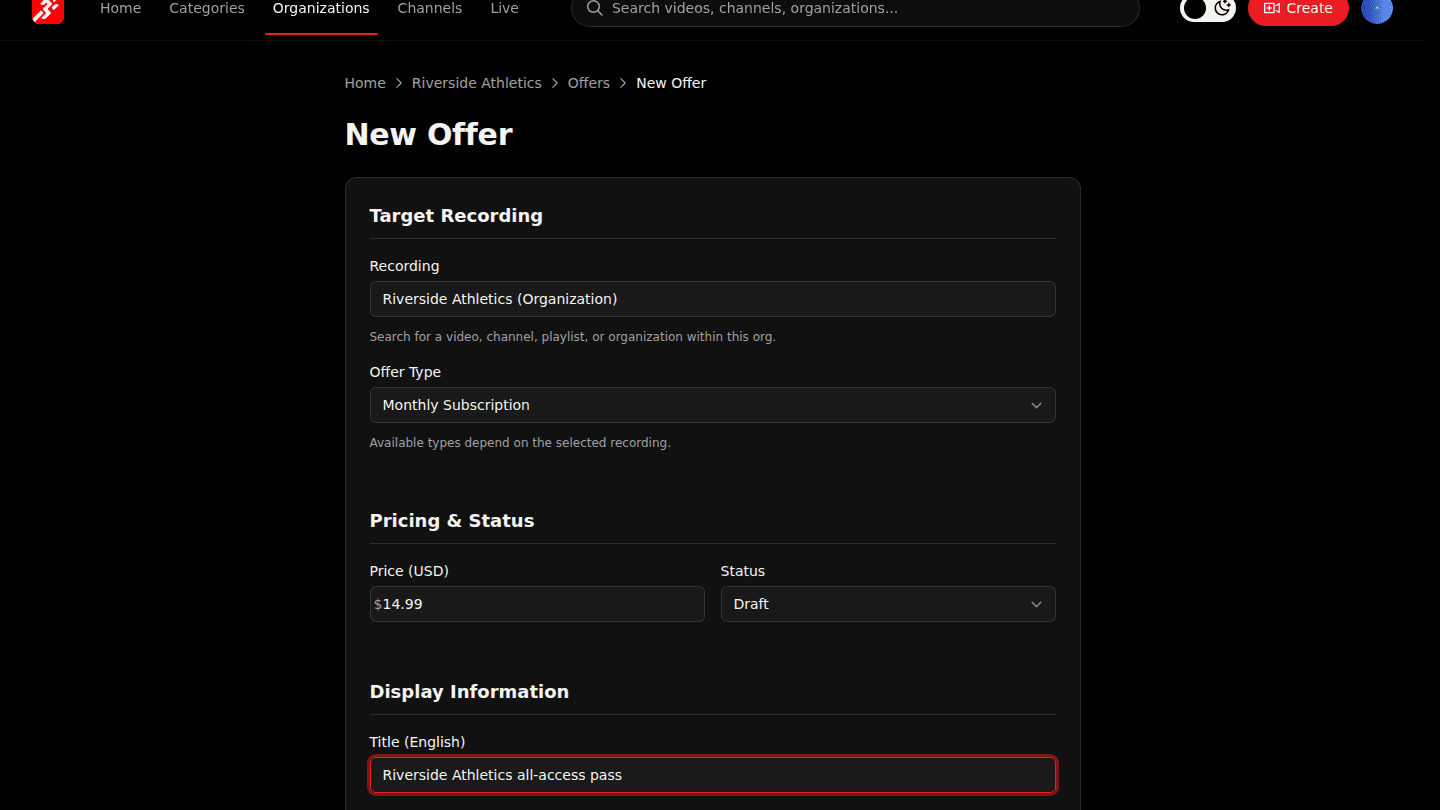
Set Offer Type to Monthly Subscription and enter the Price per month. Subscribers get every video inside the organization or channel for as long as they pay.
Step 3: Choose Create Offer
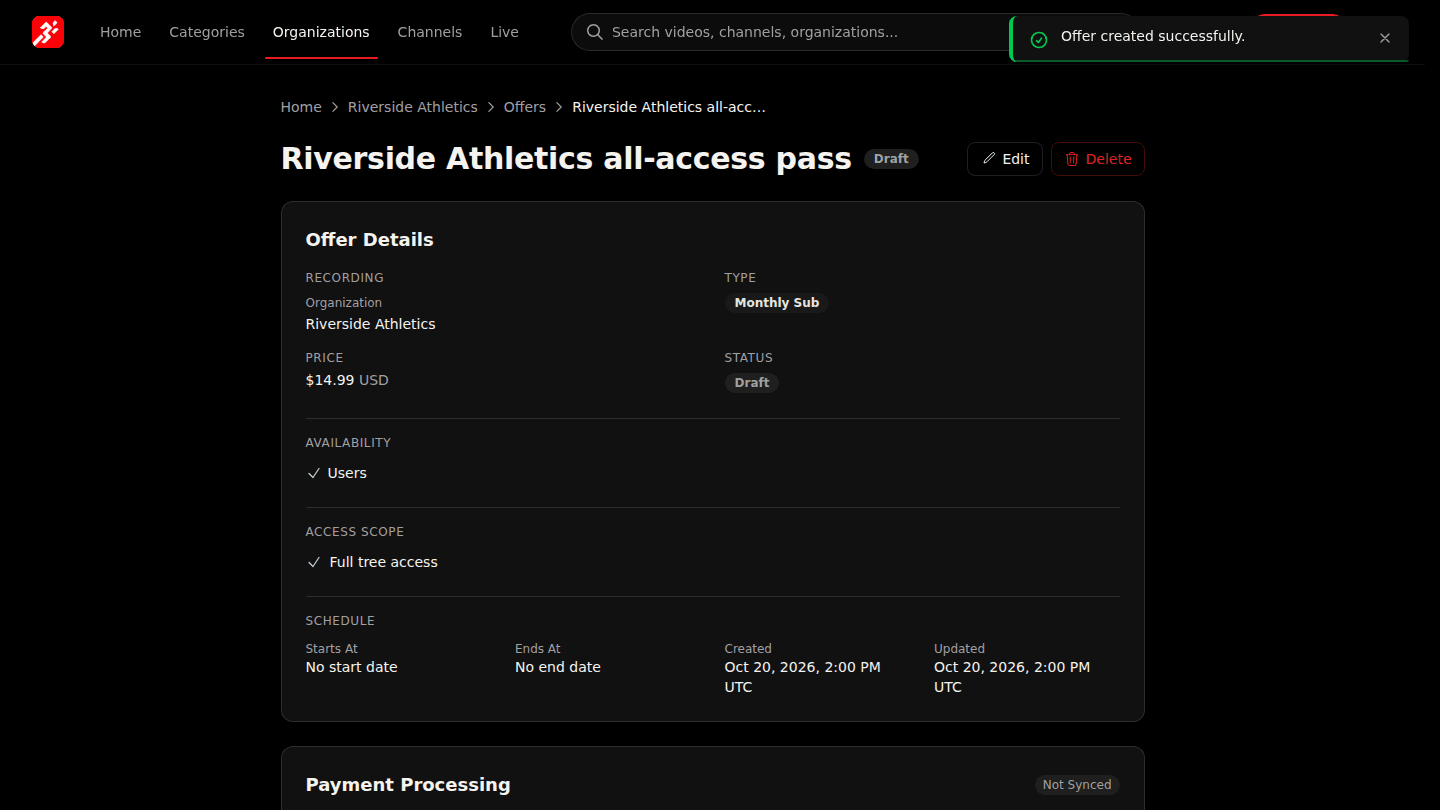
Choose Create Offer. The subscription is a Draft until you activate it.
You should see
The offer page shows Monthly Sub with the price, and a Draft badge.
How it works
A subscription on the organization covers every channel and video you publish, now and in future. A subscription on a channel covers only that channel. Mark a channel Free to exclude it from an organization pass (Make a channel free).