
Selling your content
Make a channel free
Let everyone watch every video in a channel without paying.
By the end every video in the channel plays for anyone, signed in or not.
Before you start
- You are an owner or channel manager of the channel's organization.
- The channel has no active subscription or rental offer. If it does, archive the offer first; the checkbox is greyed out until you do.
Steps
Step 1: Open the channel and choose Edit
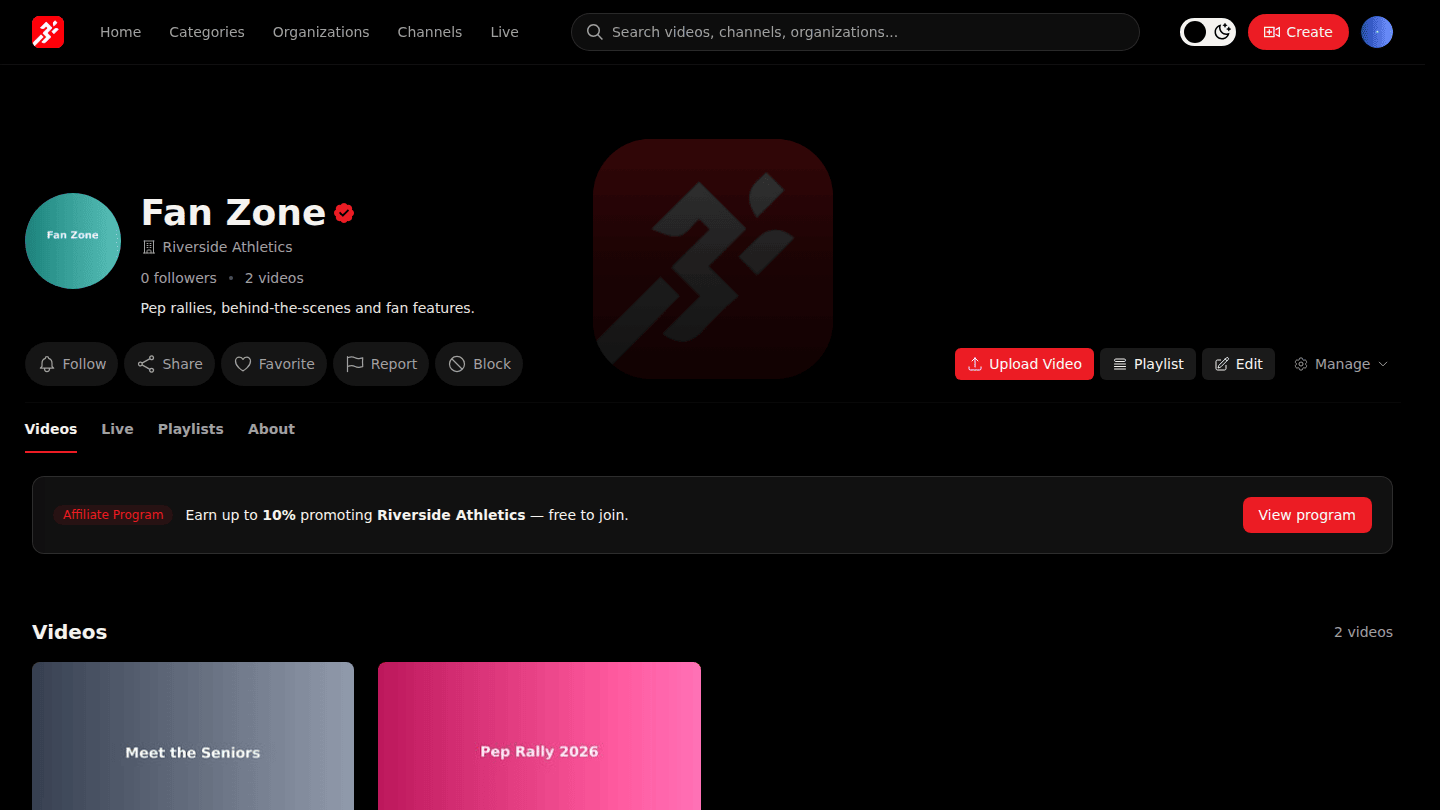
Open the channel page and choose Edit.
Step 2: Tick Free Channel
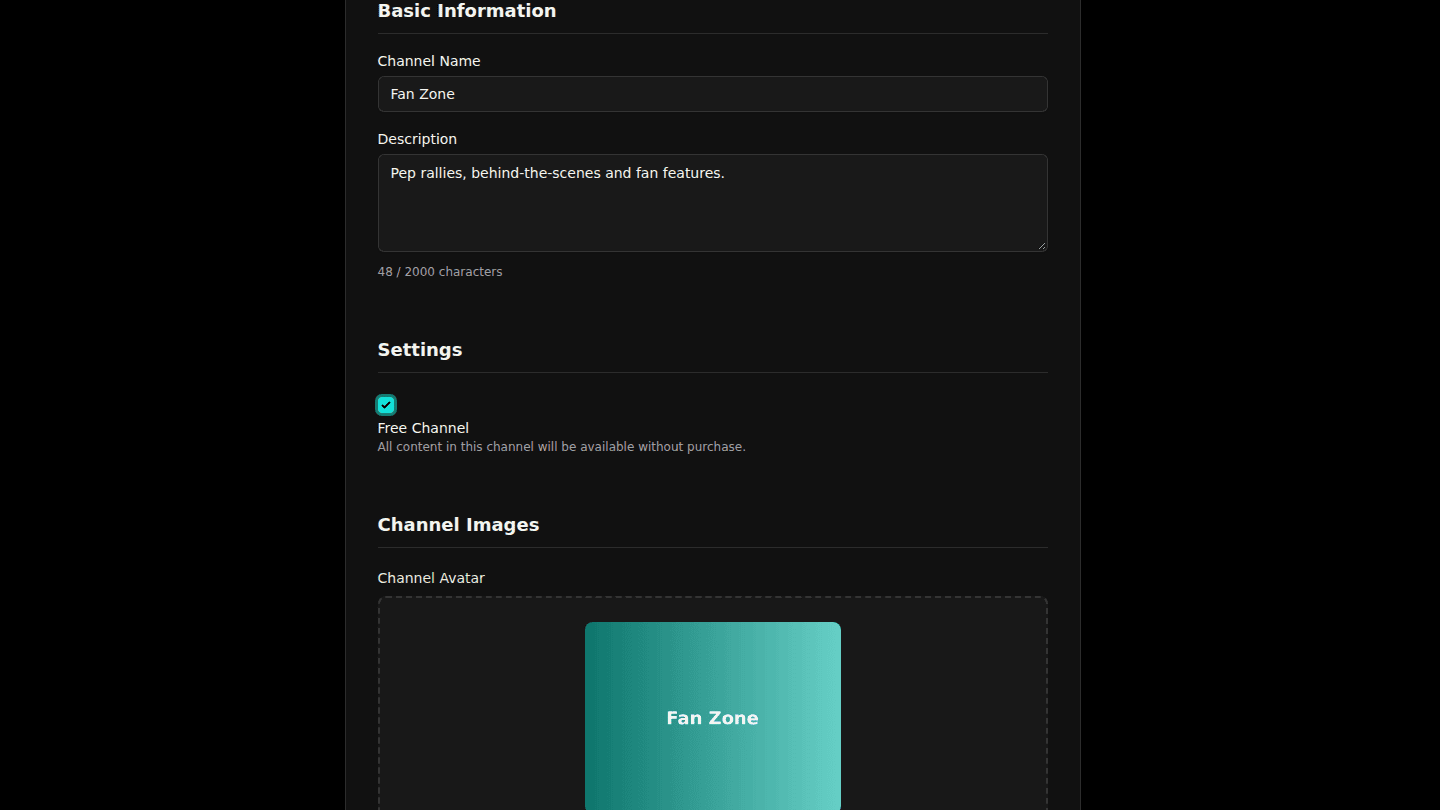
Under Settings, tick Free Channel. If the box is greyed out, the channel still has an active subscription or rental offer; archive those first.
Step 3: Choose Update Channel
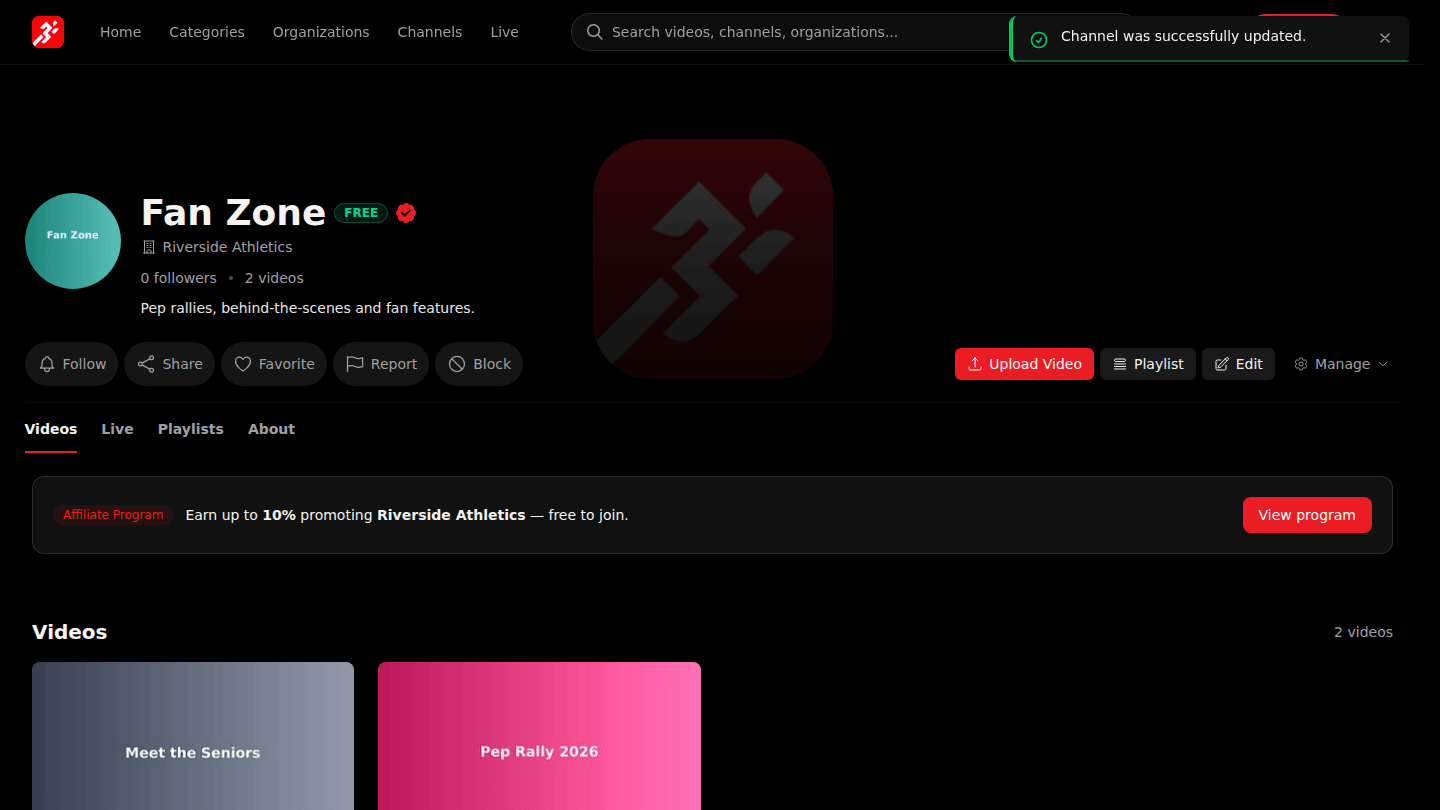
Choose Update Channel. The change applies immediately to every video in the channel.
You should see
The channel page no longer shows Unlock this content, and its videos play for viewers who are not signed in.
How it works
The free setting lives on the channel and overrides any offer on the organization above it, so you can keep an organization-wide pass and still give away one channel. Videos moved into a free channel become free; videos moved out become paid again.