
Channels
Create a channel
Add a channel to your organization to hold a set of videos.
For creators
Roles: Owner, Channel manager
Before you start
By the end you have an empty channel ready for uploads.
Before you start
- You are an owner or channel manager of the organization.
- An organization still in its probationary period can create one channel; the limit lifts once it is verified (Get verified).
Steps
Step 1: On your organization page choose Create Channel
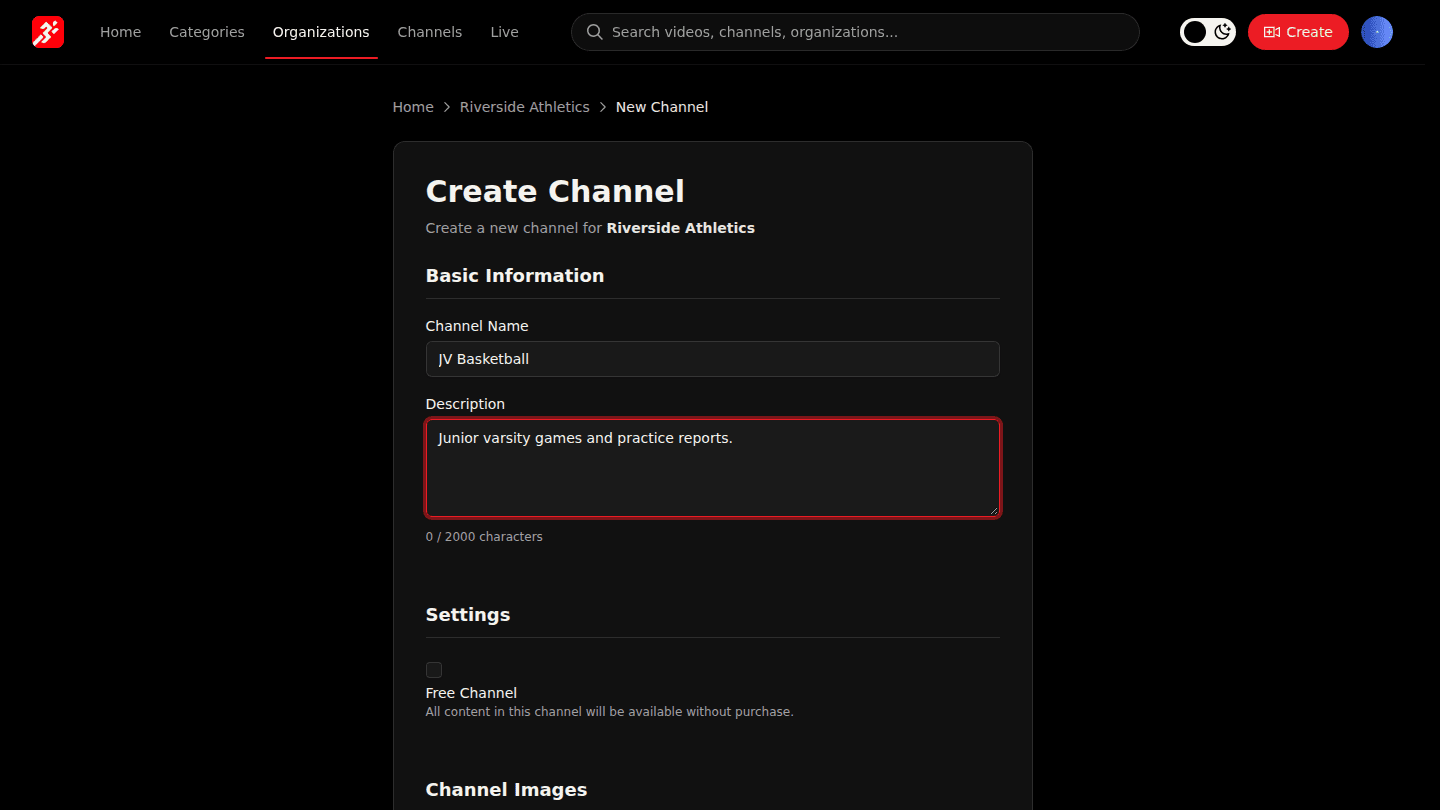
Open your organization page and choose Create Channel. Enter a Channel Name and a Description.
Step 2: Decide whether the channel is free, and add images
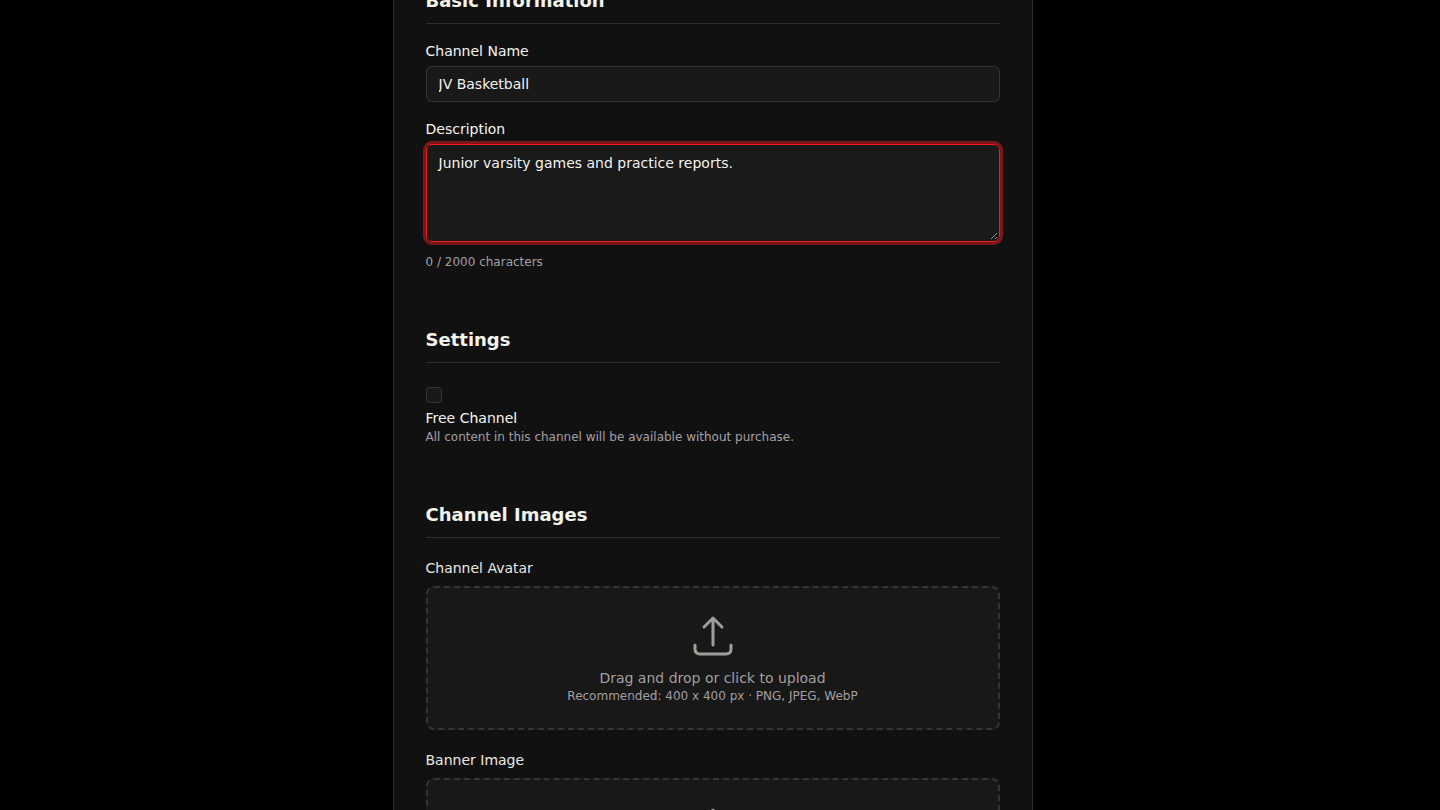
Tick Free Channel if everything in it should be free to watch; leave it unticked to sell access later. Under Channel Images add an avatar, banner and about image.
Step 3: Choose Create Channel
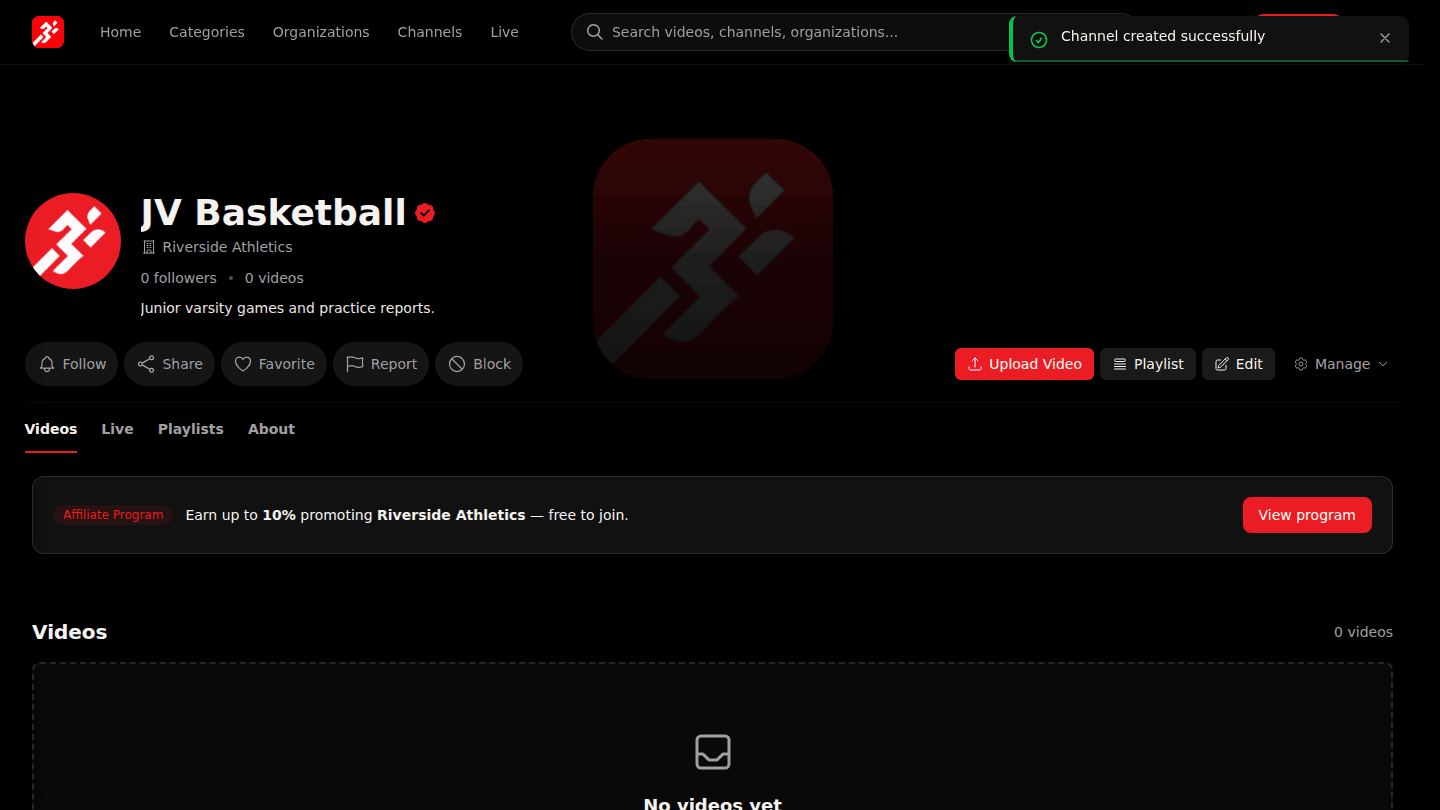
Choose Create Channel. The new channel page opens; upload videos with Upload Video.
You should see
Channel created successfully and the new channel page.