
Live streaming
Schedule a live stream
Announce a stream with a start time so followers can set reminders.
For creators
Roles: Owner, Channel manager, Video editor
Before you start
By the end your stream is listed under Upcoming with a countdown.
Before you start
- Live streaming is enabled for your organization and the channel has a stream key (Get your stream key).
Steps
Step 1: Choose Schedule Stream and pick the channel
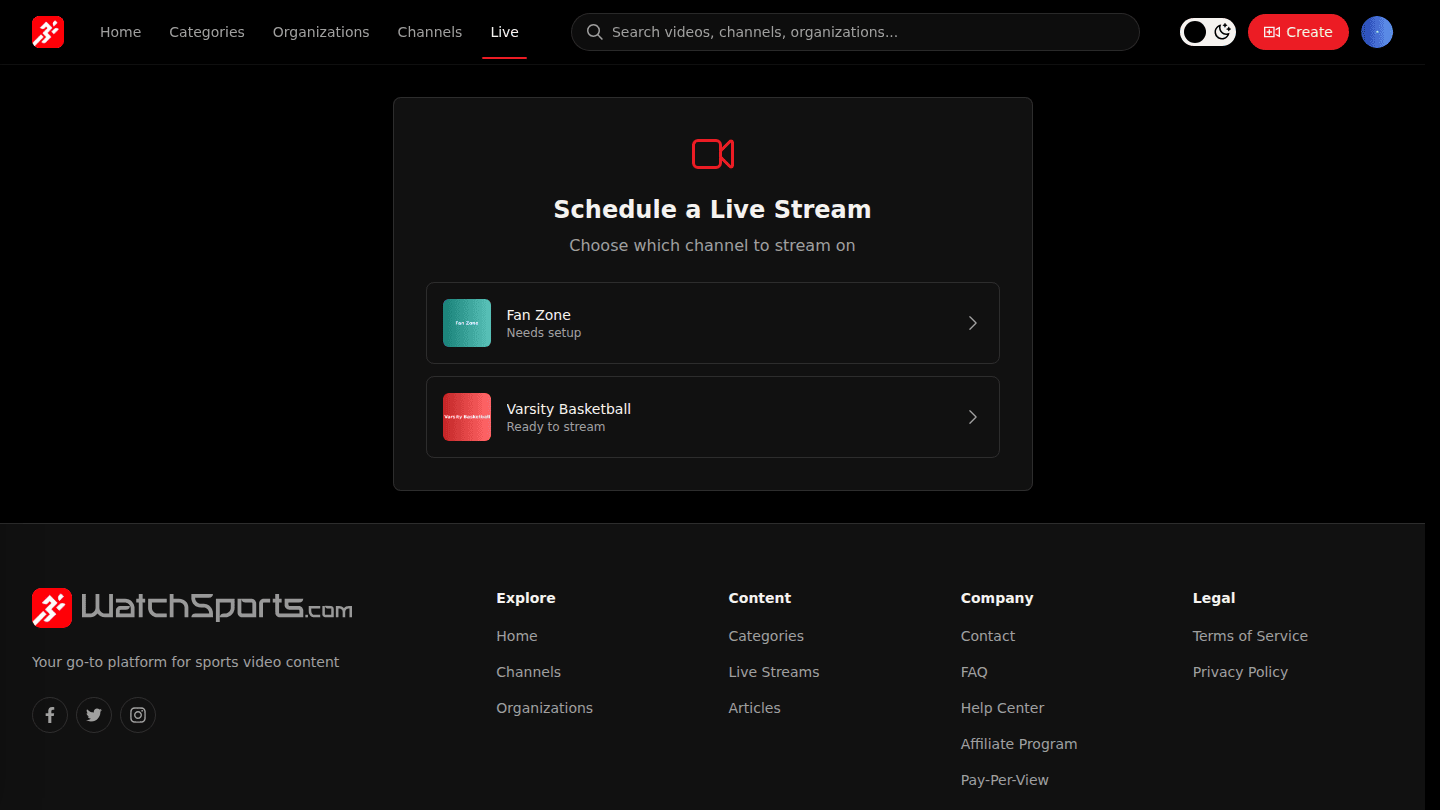
Open My Streams from your avatar menu and choose Schedule Stream, then pick the channel. A channel marked Needs setup needs streaming set up first (Get your stream key).
Step 2: Enter the title, start time and duration
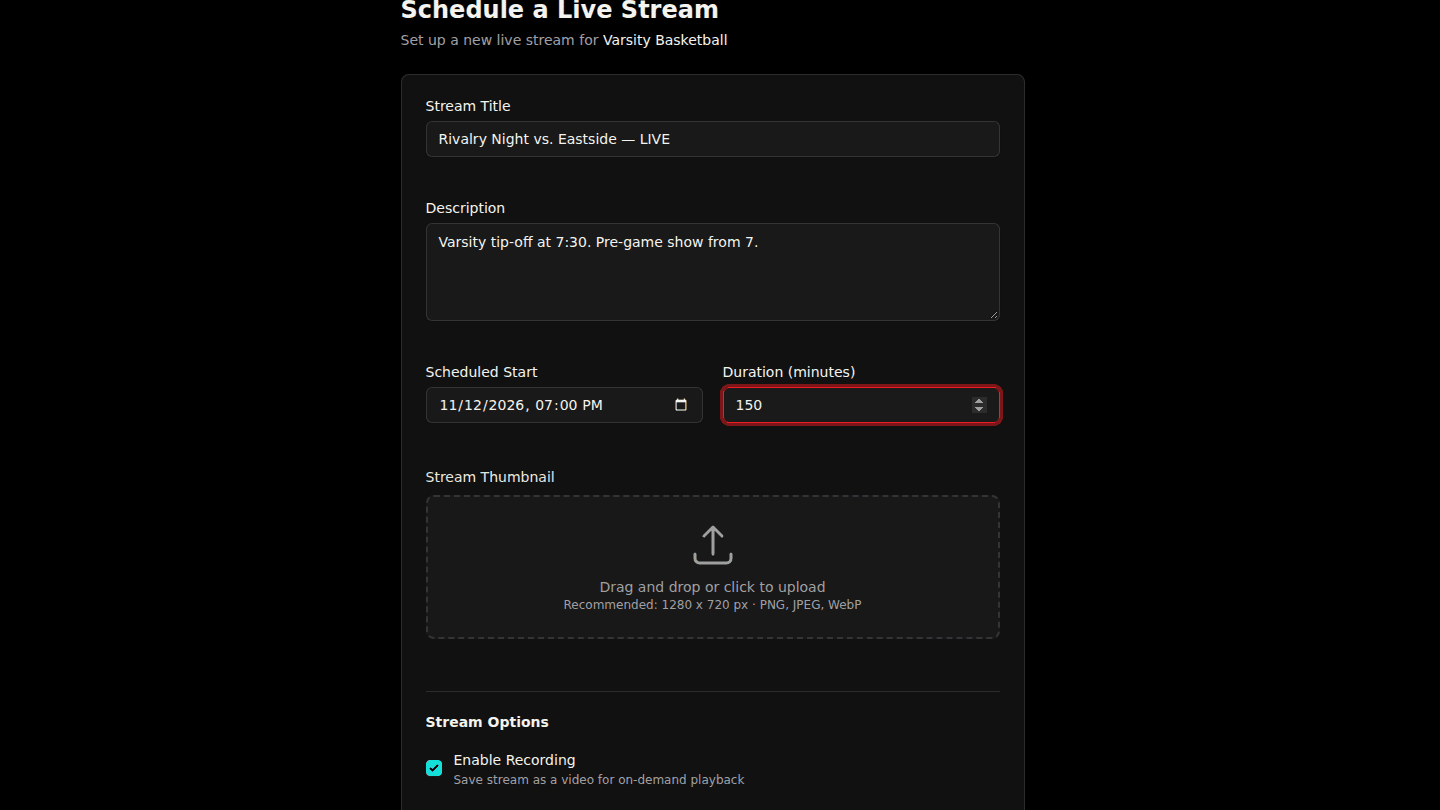
Enter the Stream Title, a Description, the Scheduled Start and Duration (minutes). Leave Enable Recording on to keep a replay and Enable Chat on for live chat. On a paid channel you can also Charge Pay-Per-View.
Step 3: Choose Schedule Stream
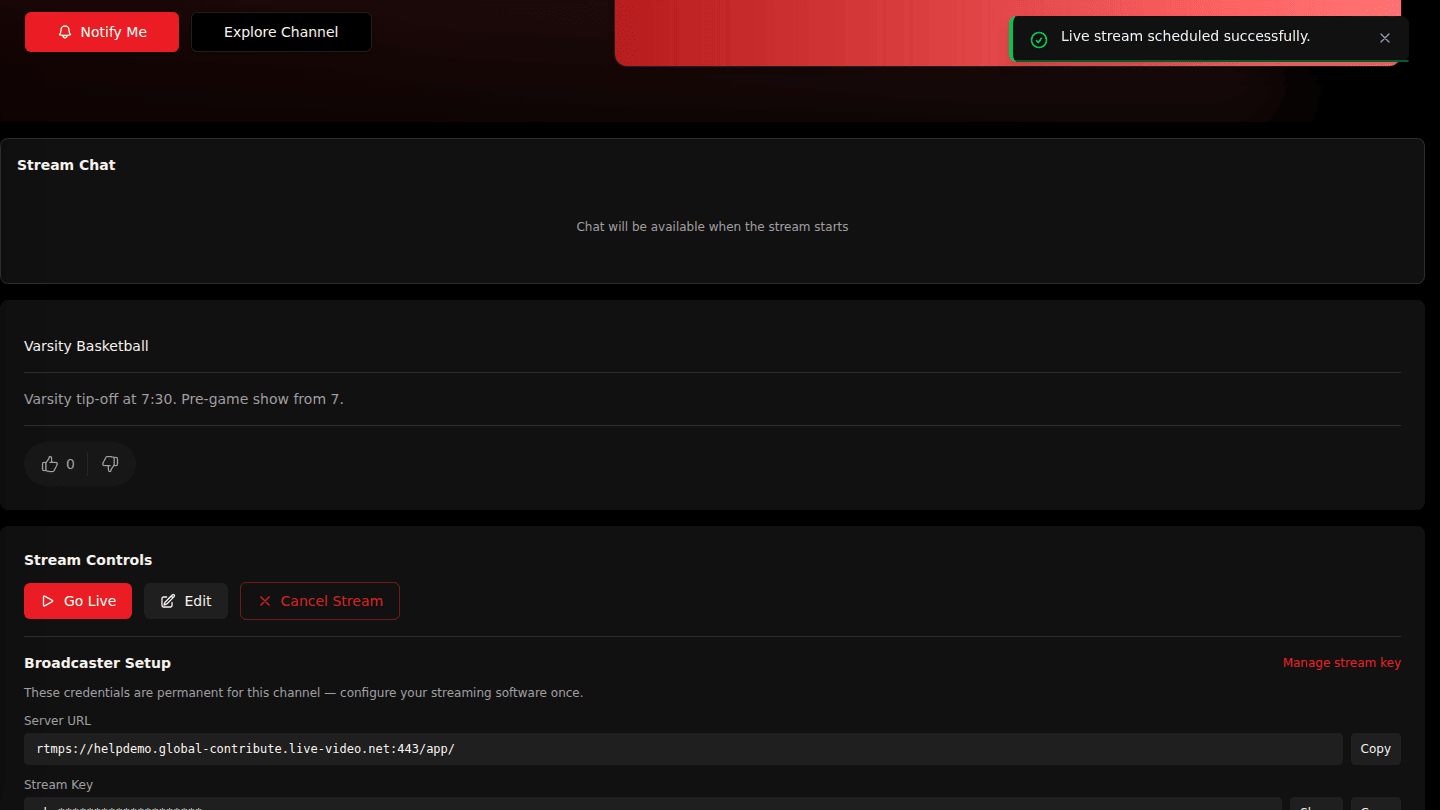
Choose Schedule Stream. The stream page shows a countdown, followers get a reminder before it starts, and it is listed under Upcoming.
You should see
Live stream scheduled successfully and the stream page with its countdown.