
Live streaming
Cancel or reschedule a stream
Move a scheduled stream to a new time, or call it off.
For creators
Roles: Owner, Channel manager, Video editor
Before you start
By the end followers see the new time, or the stream is cancelled and their reminders removed.
Before you start
- The stream has not started yet.
Steps
Step 1: Open the stream and choose Edit to change the time
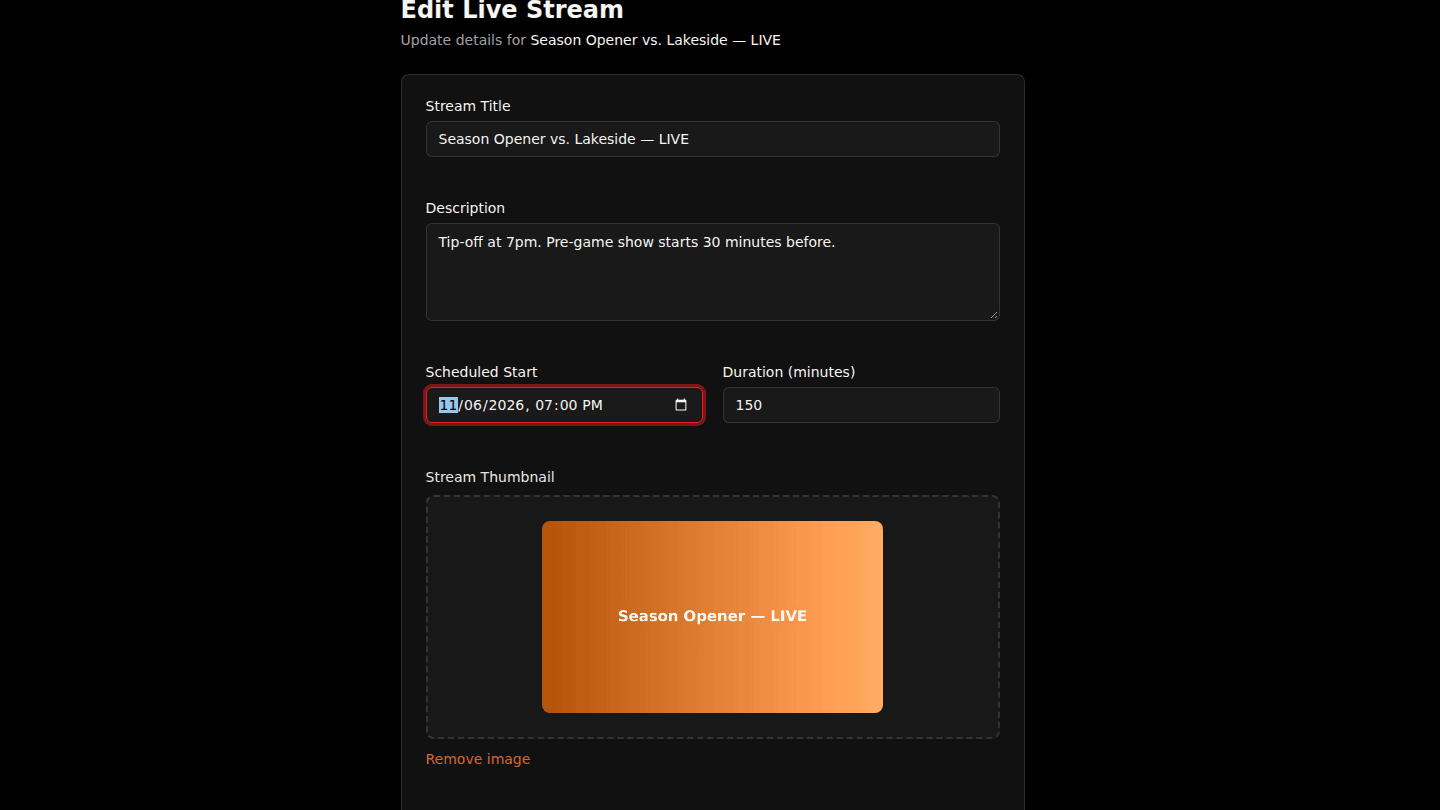
Open the scheduled stream and choose Edit. Change the Scheduled Start and choose Update Stream. Followers who set a reminder are notified about the new time.
Step 2: Or choose Cancel Stream
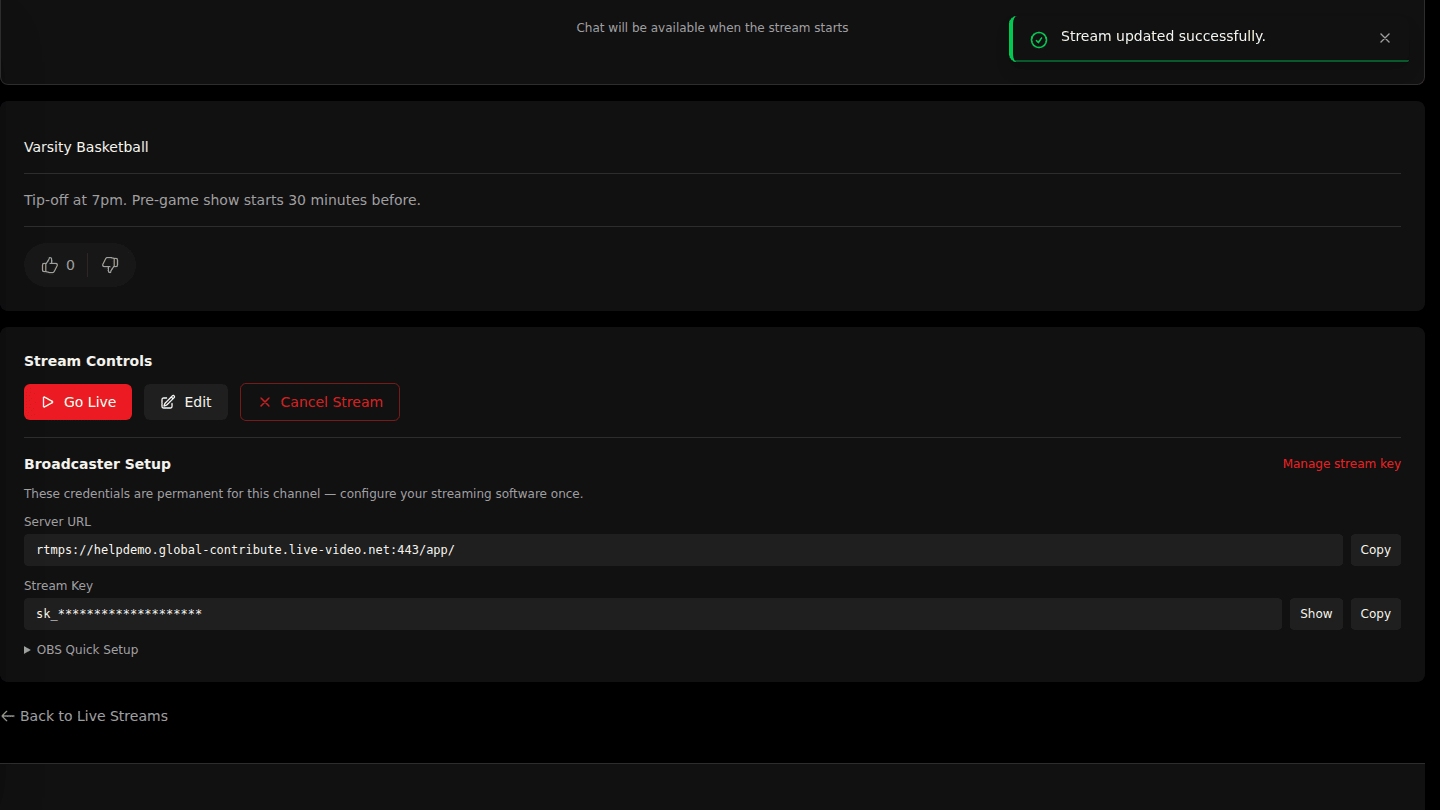
To call it off instead, choose Cancel Stream under Stream Controls on the stream page and confirm. Pending reminders are removed and the stream moves to Cancelled Streams on My Streams.
You should see
Stream updated successfully with the new countdown, or Stream cancelled and the stream under Cancelled Streams.