
Organization playlists
Add, reorder and remove playlist videos
Build the playlist's contents and put it on a channel.
For creators
Roles: Owner, Channel manager, Video editor
Before you start
By the end the playlist holds the videos you want, in the order you want, on the channels you chose.
Before you start
- The playlist exists (Create an organization playlist).
Steps
Step 1: Open the playlist and choose Edit
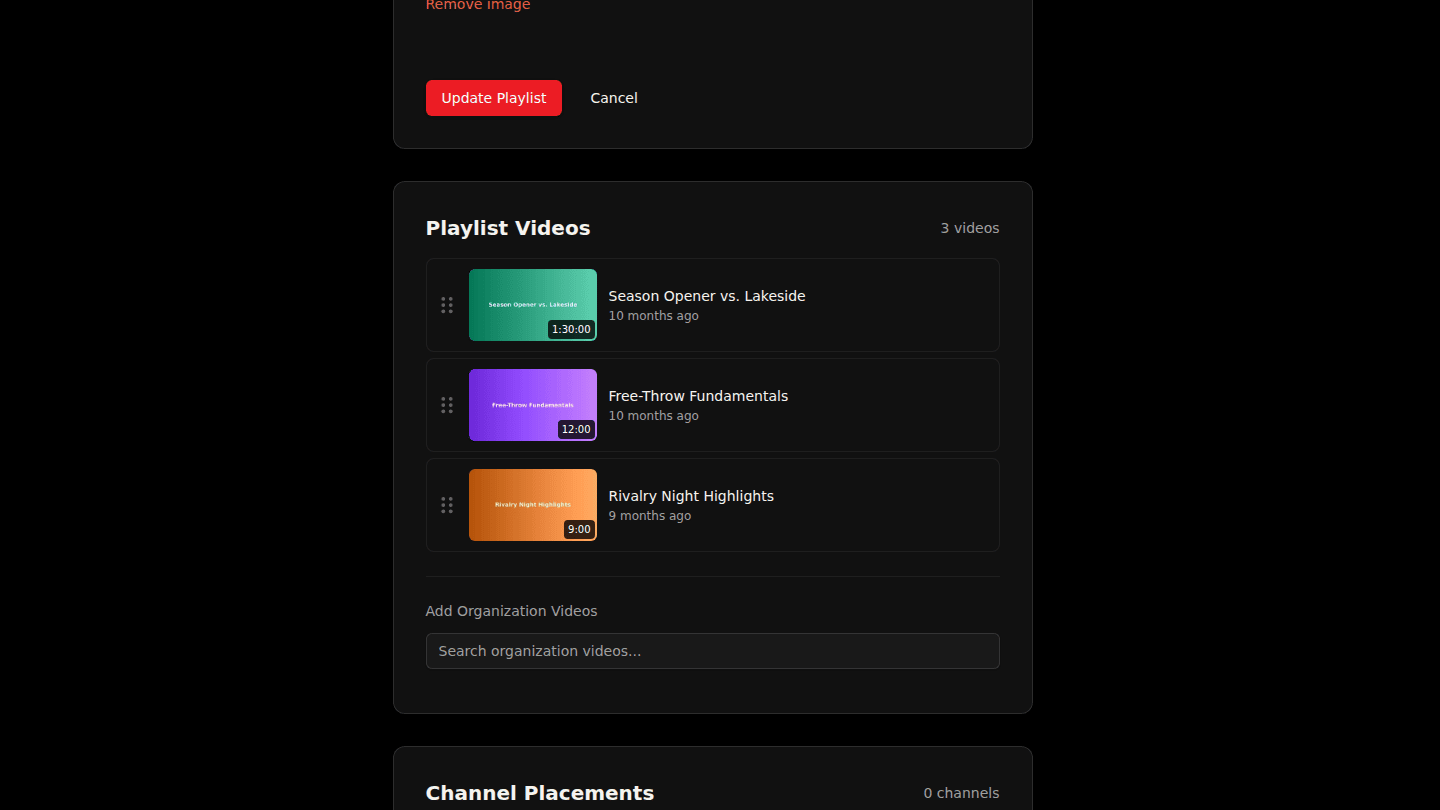
Open the playlist page and choose Edit. Playlist Videos lists what is in it, in play order. Drag a row to reorder; hover a row and choose Remove to take it out.
Step 2: Search your organization's videos and choose Add
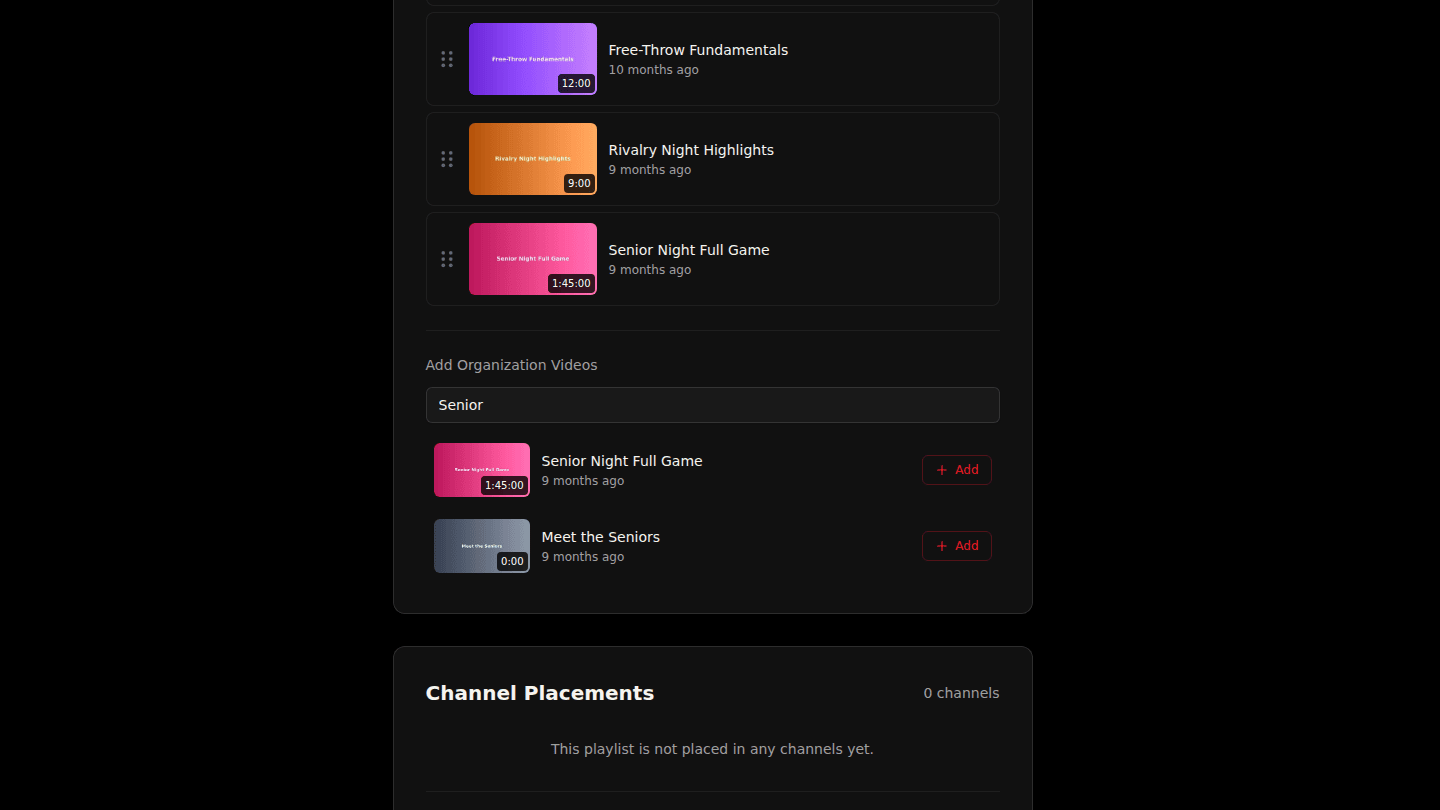
Under Add Organization Videos type part of a title and choose Add on the result. Only your organization's videos can go in an organization playlist.
Step 3: Place the playlist in a channel
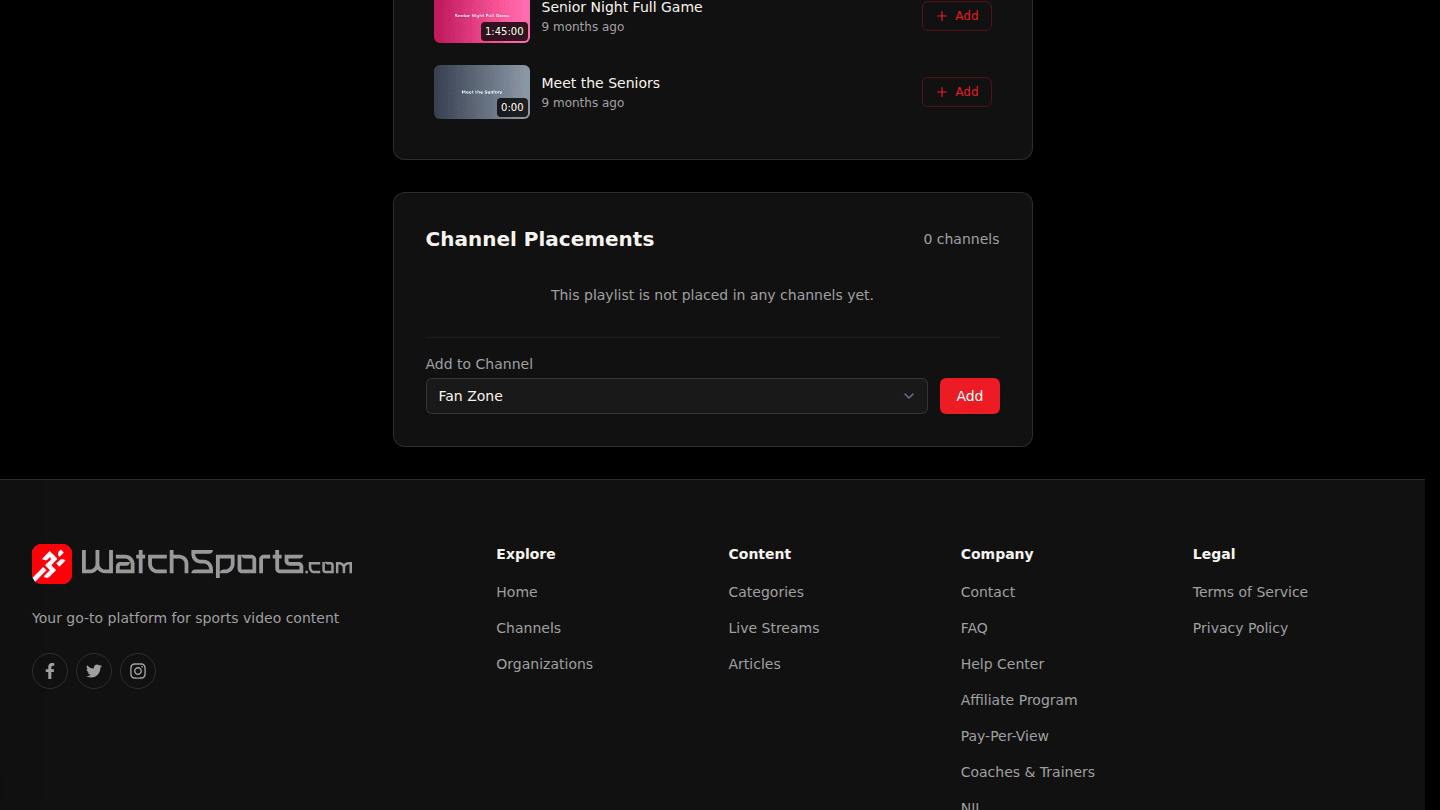
Under Channel Placements pick a channel and choose Add; the playlist appears on that channel's page.
You should see
The videos listed under Playlist Videos in order, and the playlist on the channel page.