
Live streaming
End a stream
Stop the broadcast and turn the recording into a video.
For creators
Roles: Owner, Channel manager, Video editor
Before you start
By the end the stream is over and its replay is on the way to your channel.
Before you start
- Stop streaming in OBS first, so the recording ends cleanly.
Steps
Step 1: Open the live stream page
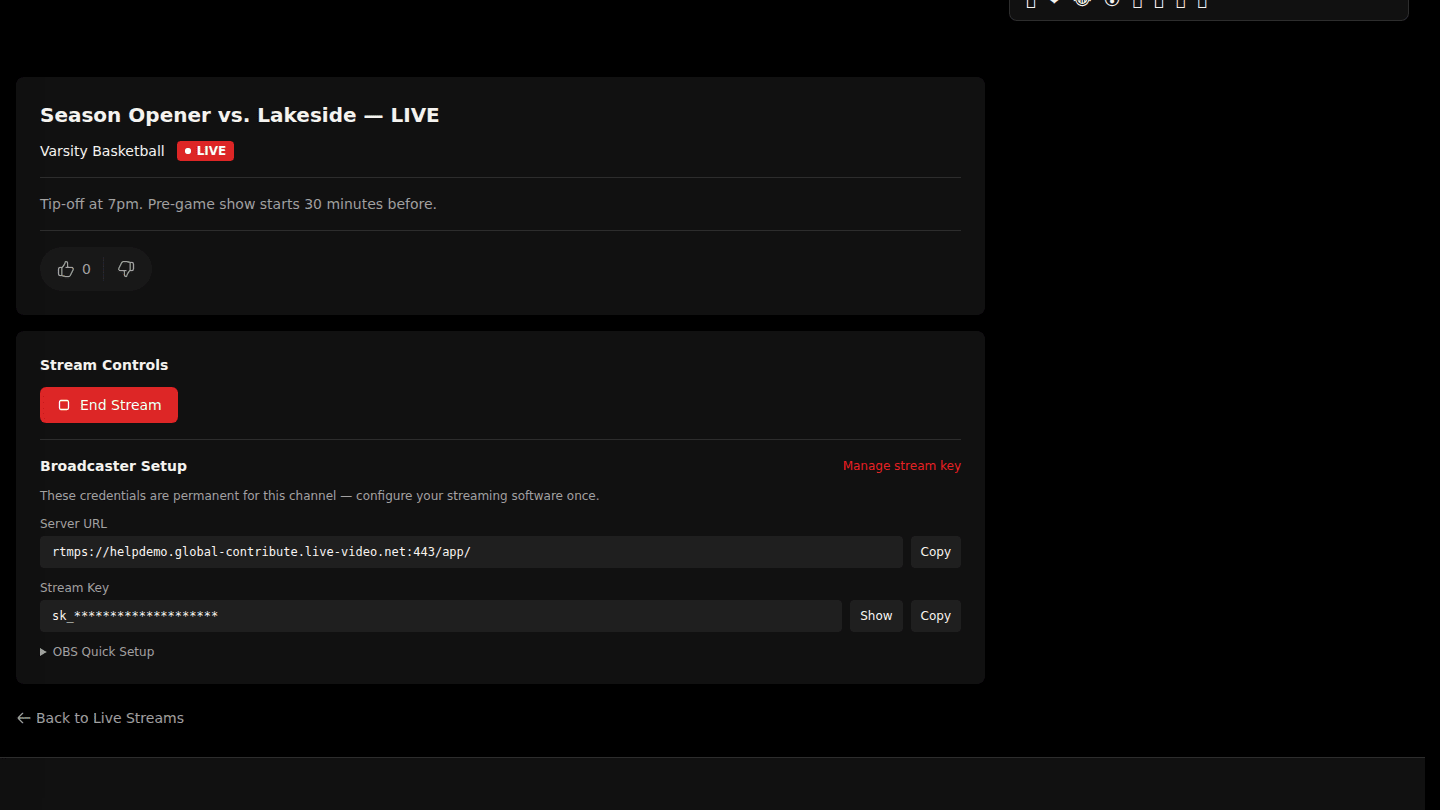
While you are live, the stream page shows End Stream under Stream Controls. Stop streaming in OBS first.
Step 2: Choose End Stream
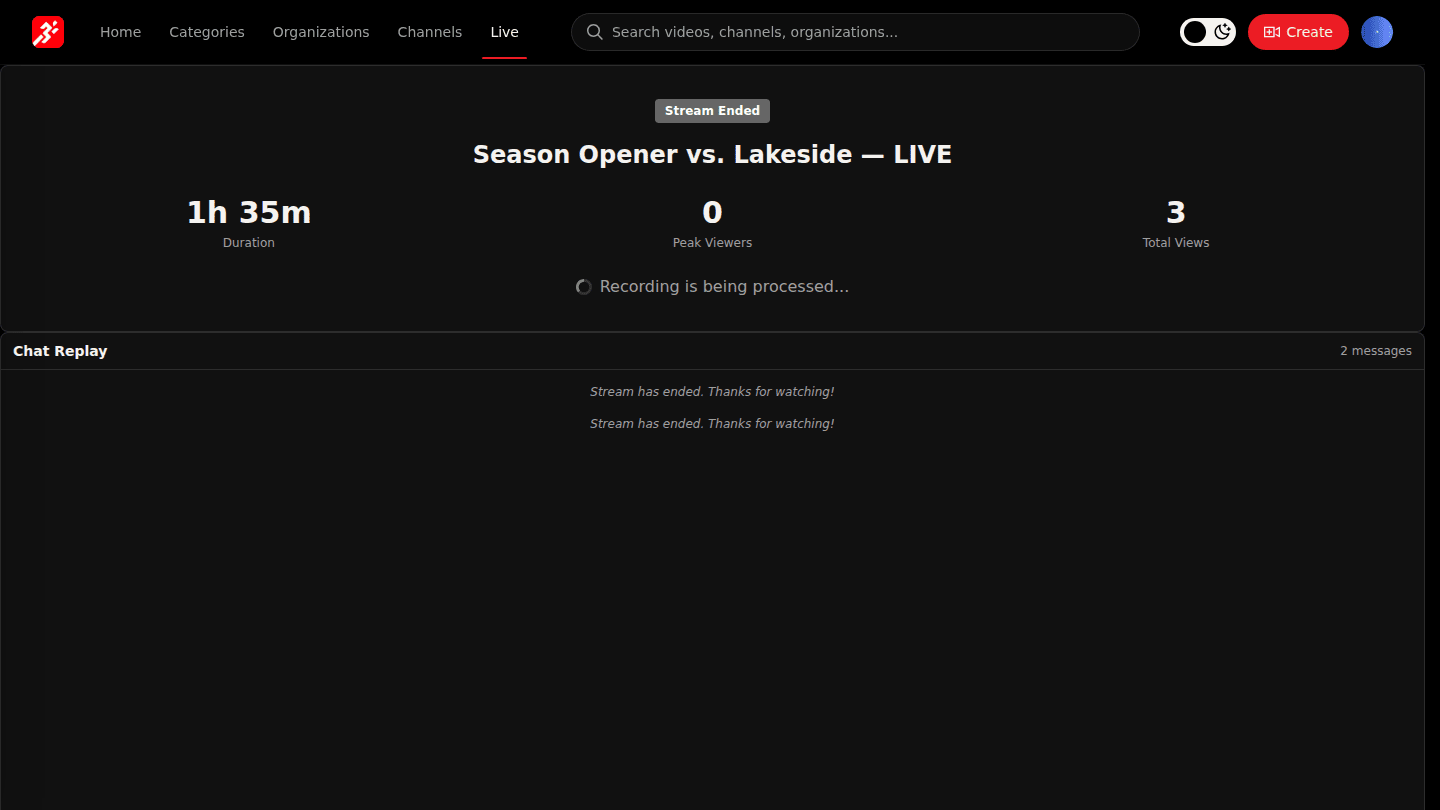
Choose End Stream and confirm. The page shows the Stream Ended summary (duration, peak viewers, total views). If recording was on, the replay becomes a normal video on the channel once it is processed.
You should see
Stream ended successfully and the Stream Ended summary. The replay appears on the channel as a video once it is processed.