
Comments, chat, ads and analytics
Turn comments on or off
Allow or disable comments for an organization, a channel or a single video.
For creators
Roles: Owner, Channel manager, Community manager
By the end comments are on or off exactly where you want them.
Before you start
- You are an owner, channel manager or community manager.
Steps
Step 1: Choose Manage → Comment Settings
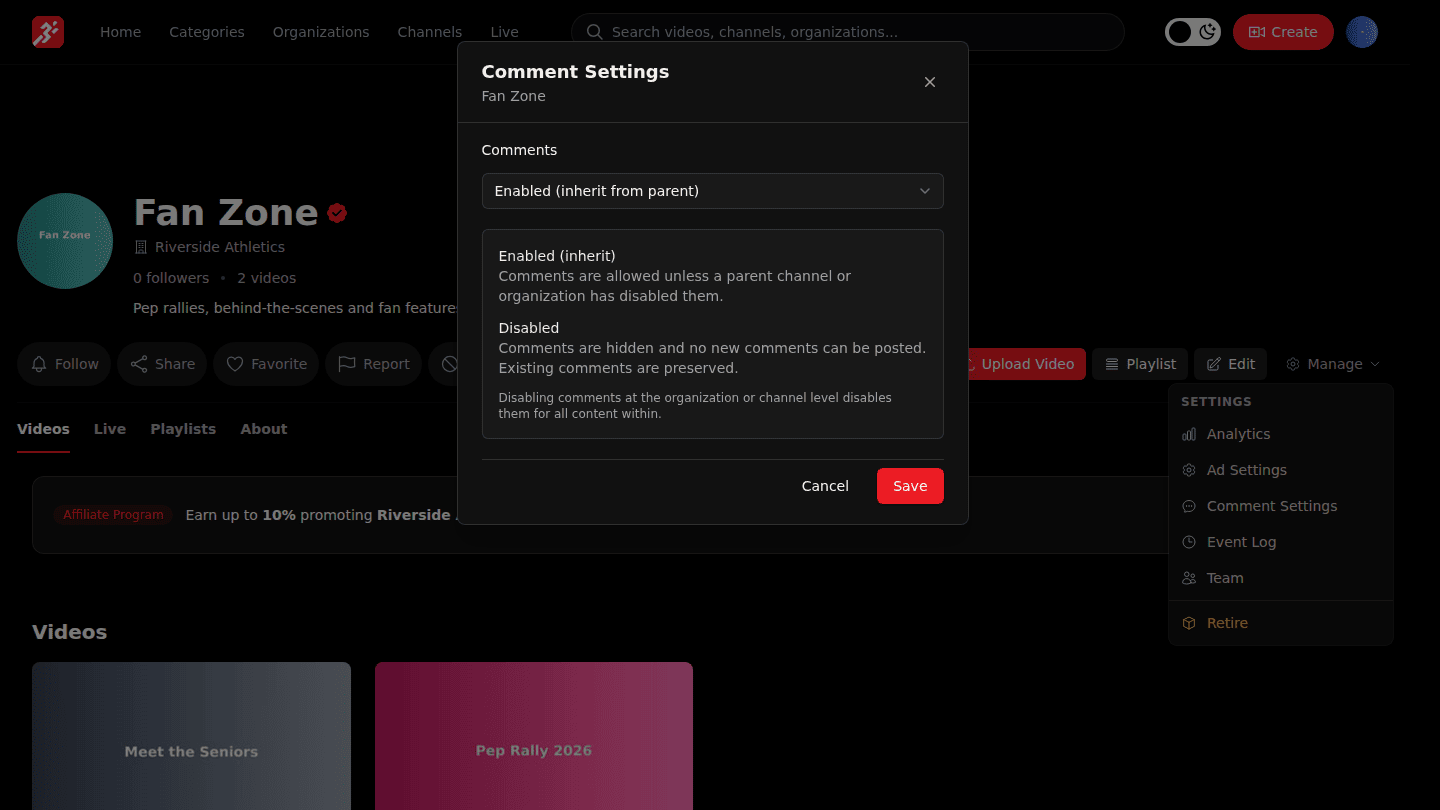
On your organization, a channel or a video page choose Manage → Comment Settings. Settings on an organization or channel apply to everything inside unless a video overrides them.
Step 2: Pick Enabled or Disabled and choose Save
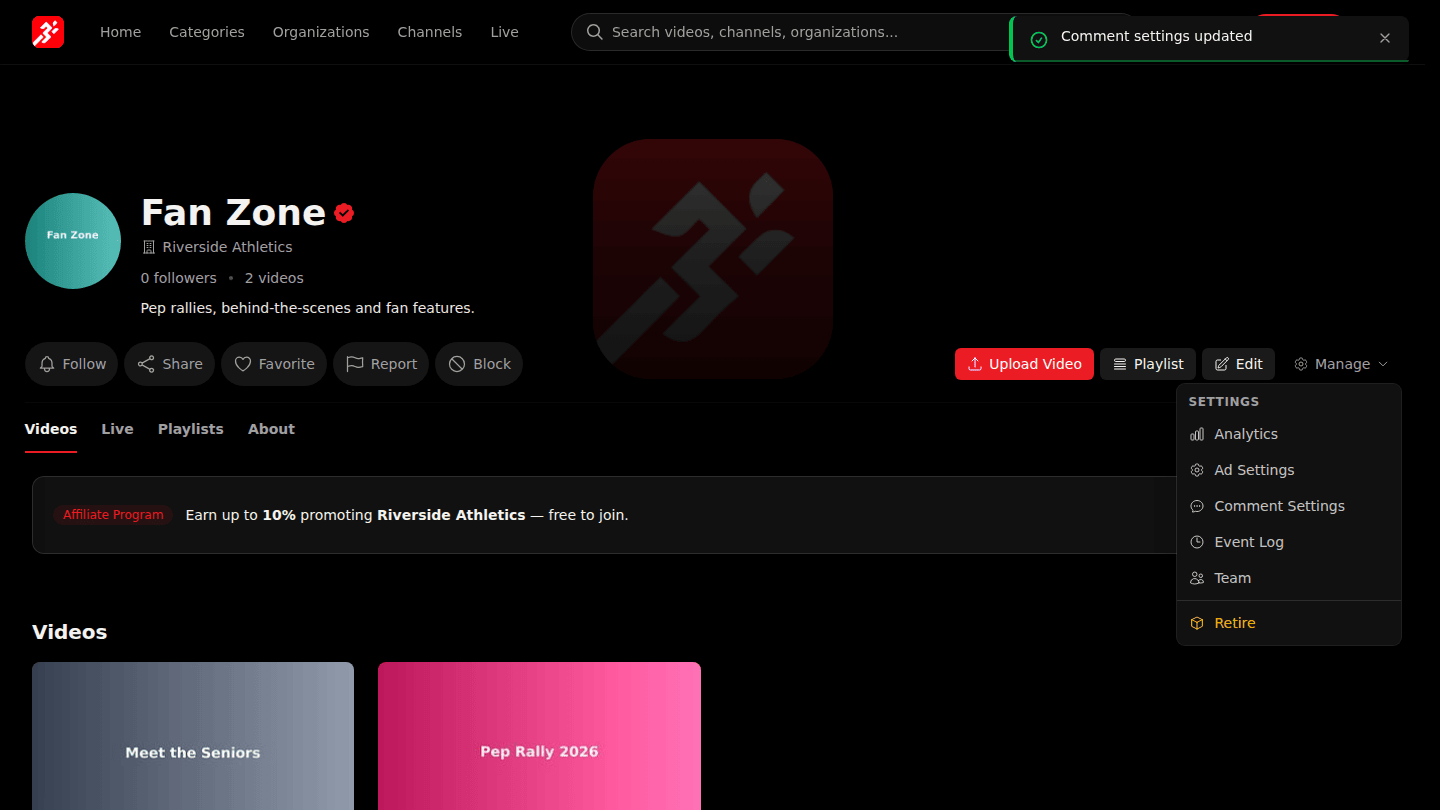
Under Comments pick Disabled to switch comments off here and in everything below, or Enabled (inherit from parent), then choose Save.
You should see
Comment settings updated, and the comments section gone (or back) on the affected pages.