
Selling your content
Replace your Stripe account
Move payouts to a different Stripe account, for example after a change of ownership.
For creators
Roles: Owner
By the end the old account is deactivated and the new one is being set up.
Before you start
- You are the owner, and you know your password.
- Payouts will be held until the new account is verified by Stripe.
Steps
Step 1: Choose Replace payment account and confirm your password
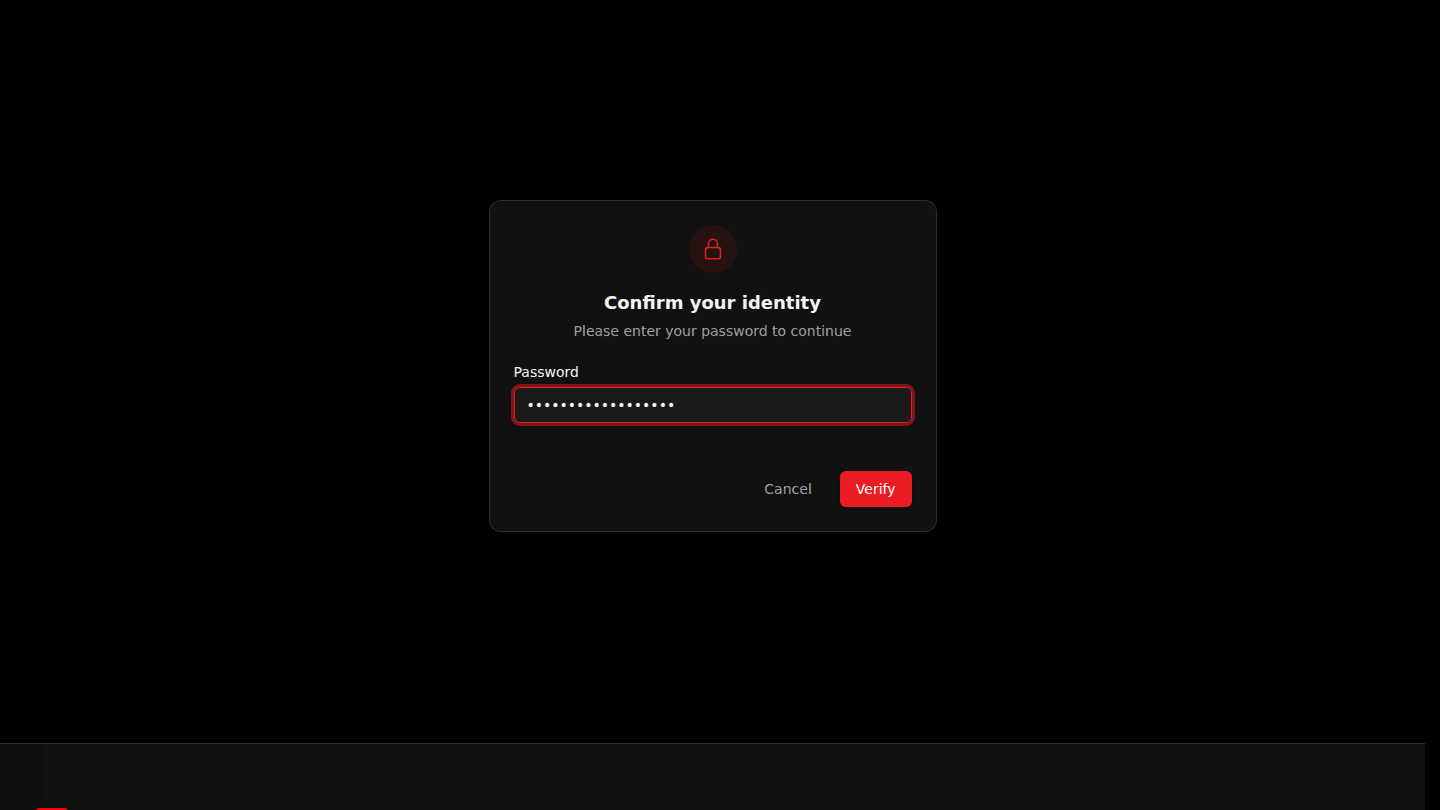
Open your organization page, choose Manage → Payments, then Replace payment account. Because this changes where money goes, you are asked to confirm your password first.
Step 2: Pick the account type and choose Deactivate and set up new account
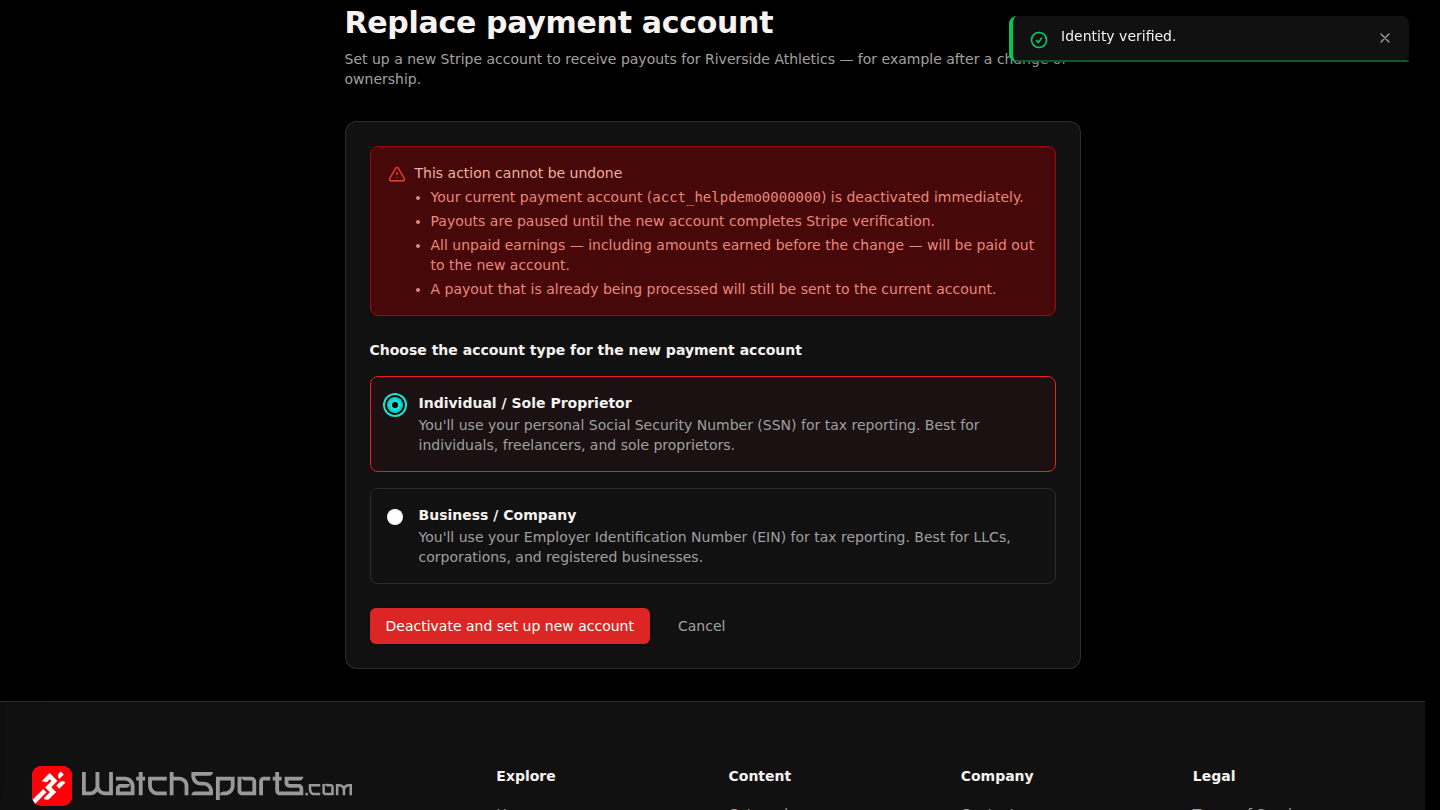
Pick Individual or Company and choose Deactivate and set up new account. The old account stops receiving payouts at once, payouts are held until the new account is verified, and Stripe onboarding starts for the new one (Connect Stripe to get paid).
You should see
Stripe's onboarding for the new account, then Payment account verified on Payment Setup once it is done.