
Watching and your library
Create a personal playlist
Collect videos from anywhere on the platform into a playlist only you can see.
For viewers
By the end you have a playlist you can add any video to.
Before you start
- You are signed in.
Steps
Step 1: Choose New Playlist on your profile and name it
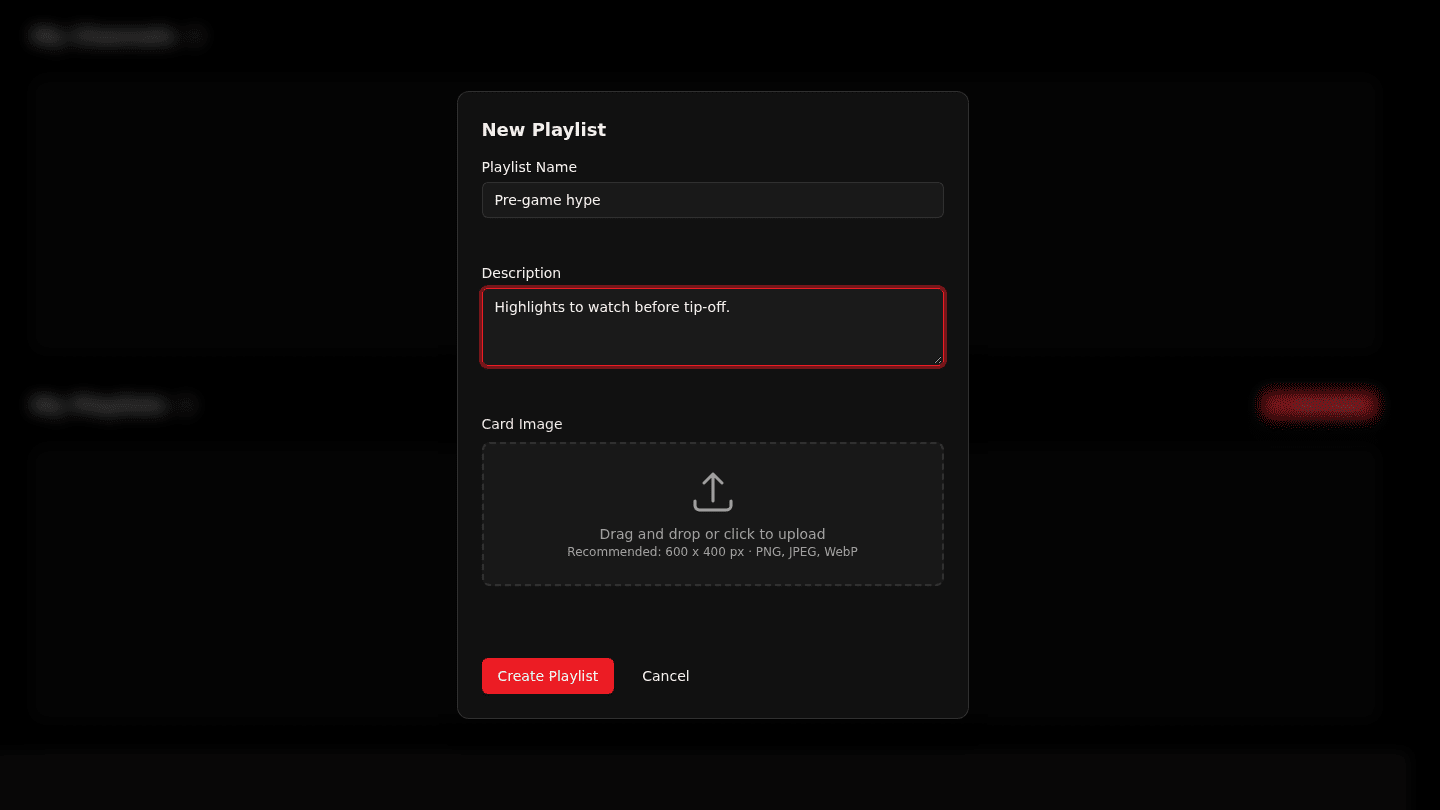
On your profile choose New Playlist. Enter a Playlist Name and a Description. Personal playlists are private to you and can hold any video.
Step 2: Choose Create Playlist
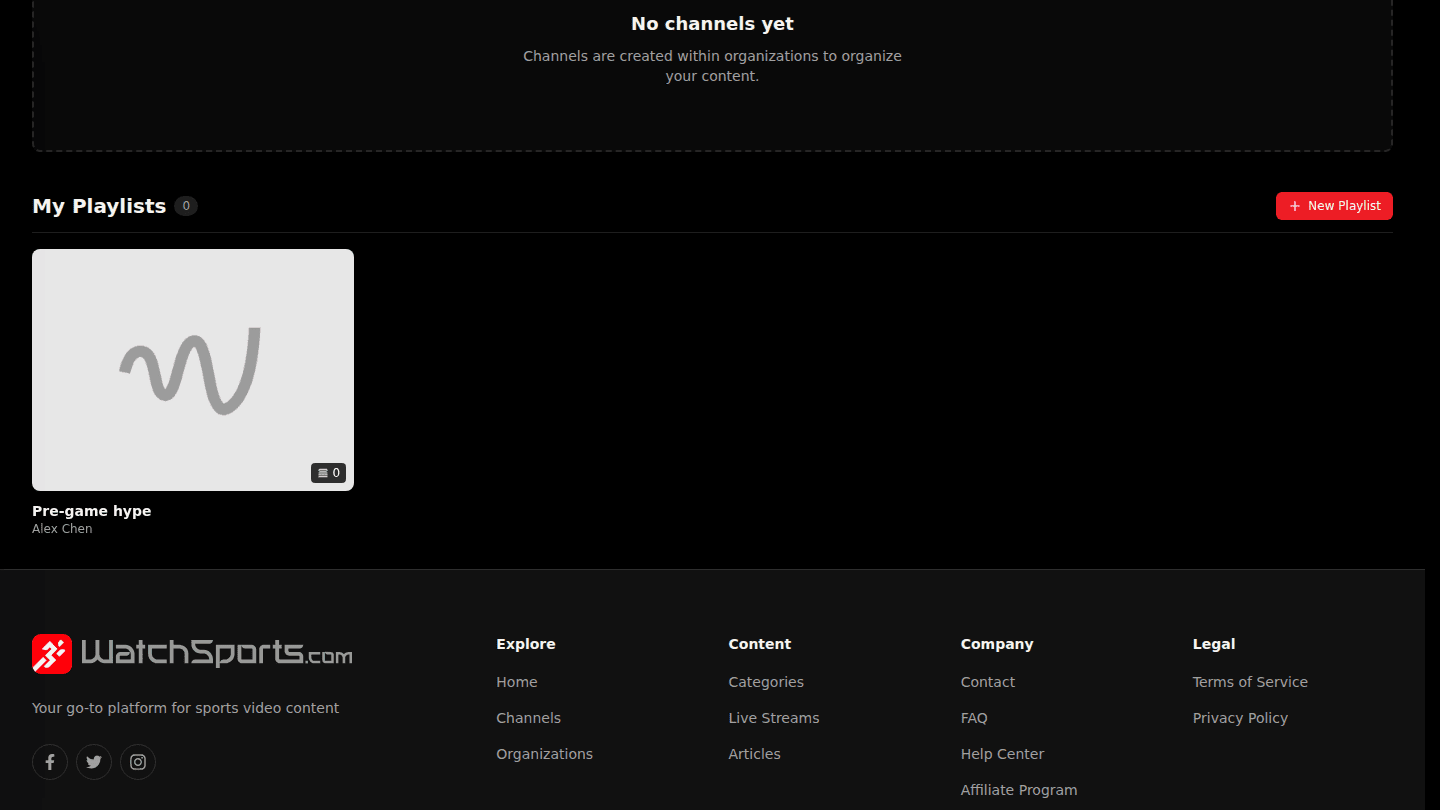
Choose Create Playlist. Add videos with the Playlist button under any video, which lists your playlists with Add next to each.
You should see
Playlist was successfully created. and the playlist under My Playlists on your profile.