
Buying, renting and subscribing
Cancel or resume a subscription
Stop a subscription renewing, or undo that before the period ends.
For viewers
By the end the subscription will stop at the end of the paid period, or keep going if you resumed it.
Before you start
- You are signed in and the subscription is under Purchases.
Steps
Step 1: Open the subscription under Purchases and choose Cancel Subscription
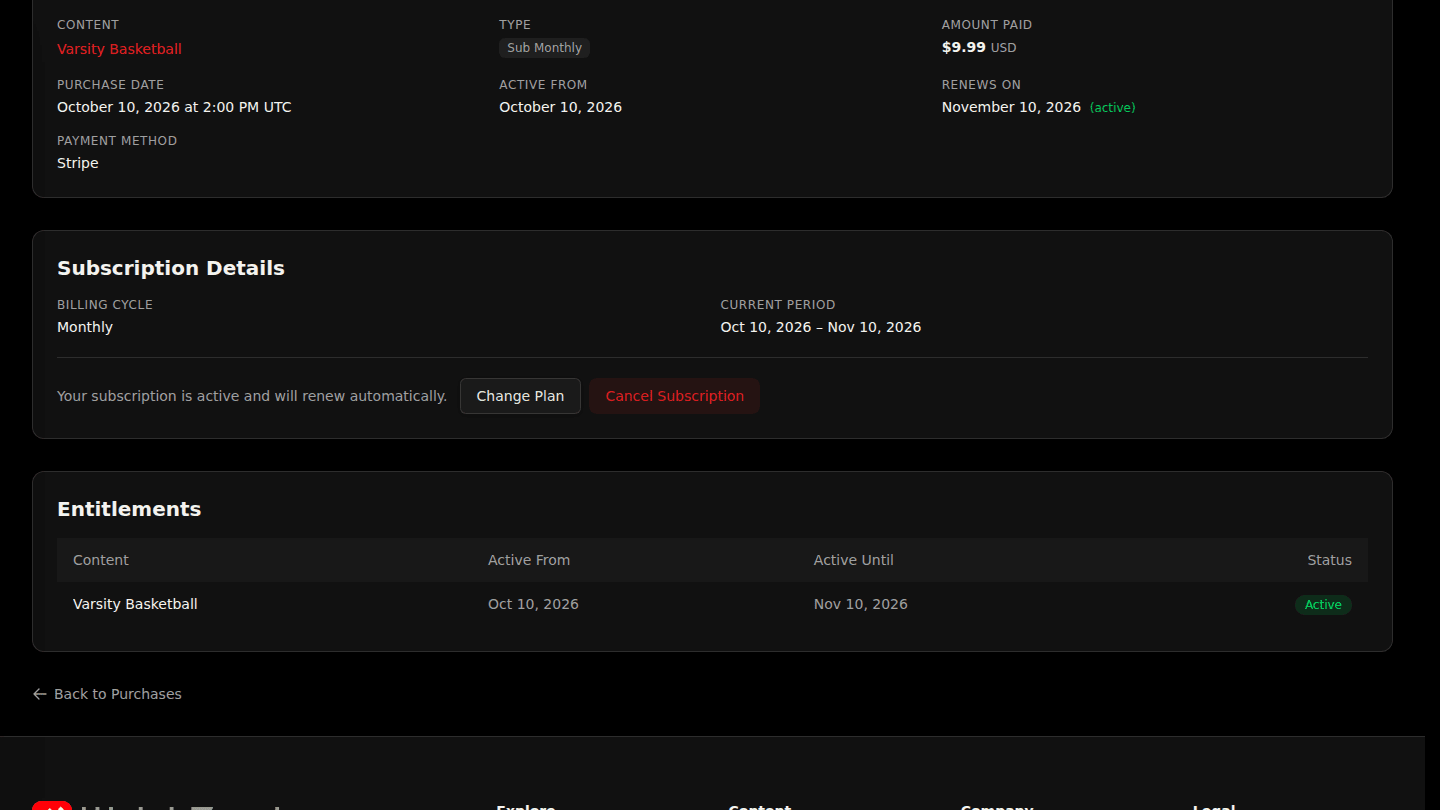
Open your profile, choose Purchases and View the subscription. Choose Cancel Subscription and confirm. Renewal stops, and you keep access until the end of the period you already paid for.
Step 2: Changed your mind? Choose Resume Subscription
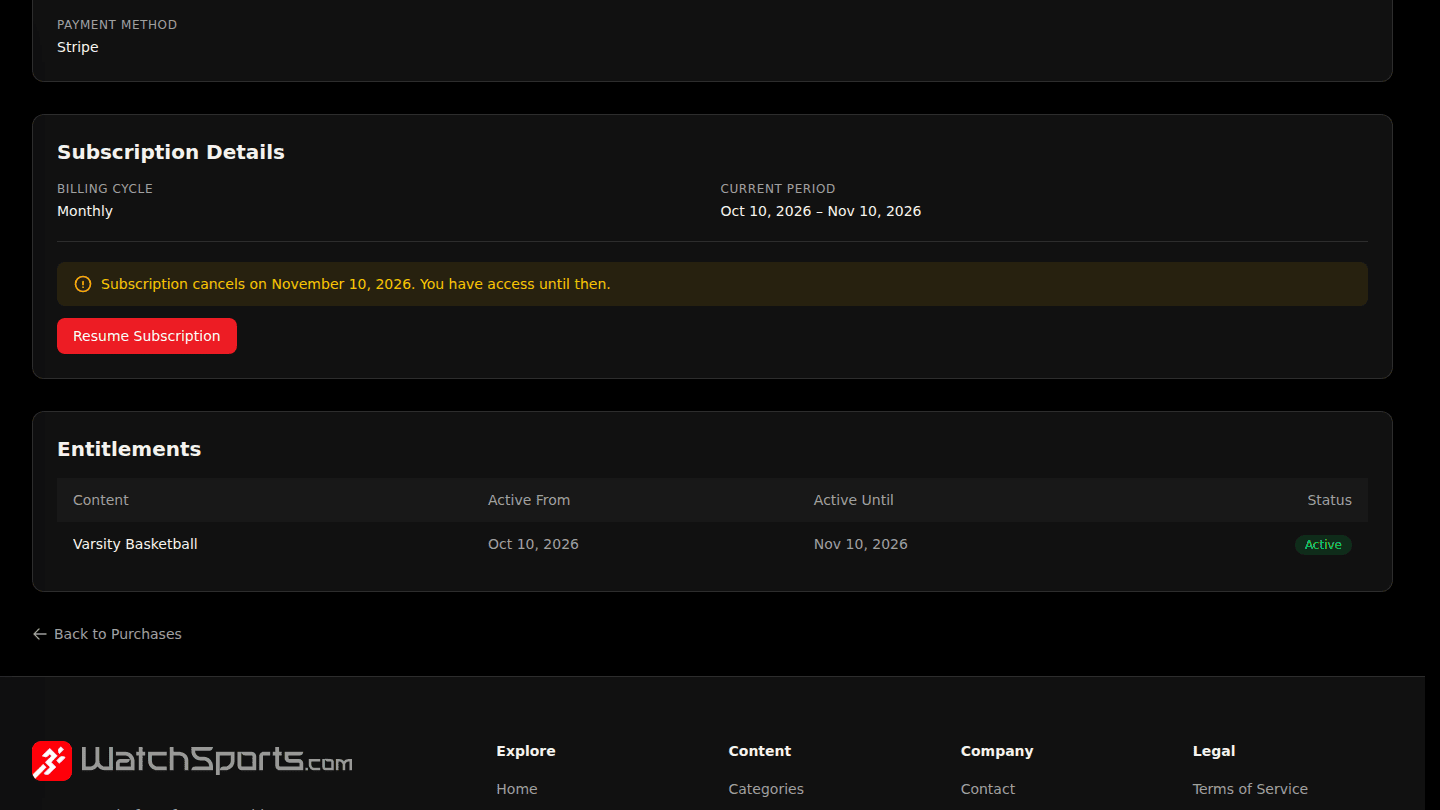
Until the period ends the page shows Subscription cancels on the date and a Resume Subscription button. Choose it to keep the subscription going at the regular rate.
You should see
Subscription will cancel at period end. or Subscription resumed.