
Buying, renting and subscribing
Subscribe to a channel or organization
Pay monthly for everything inside a channel or organization.
For viewers
By the end everything inside plays, and renews monthly until you cancel.
Before you start
- You are signed in, and have a card ready.
Steps
Step 1: Open the channel and choose Subscribe
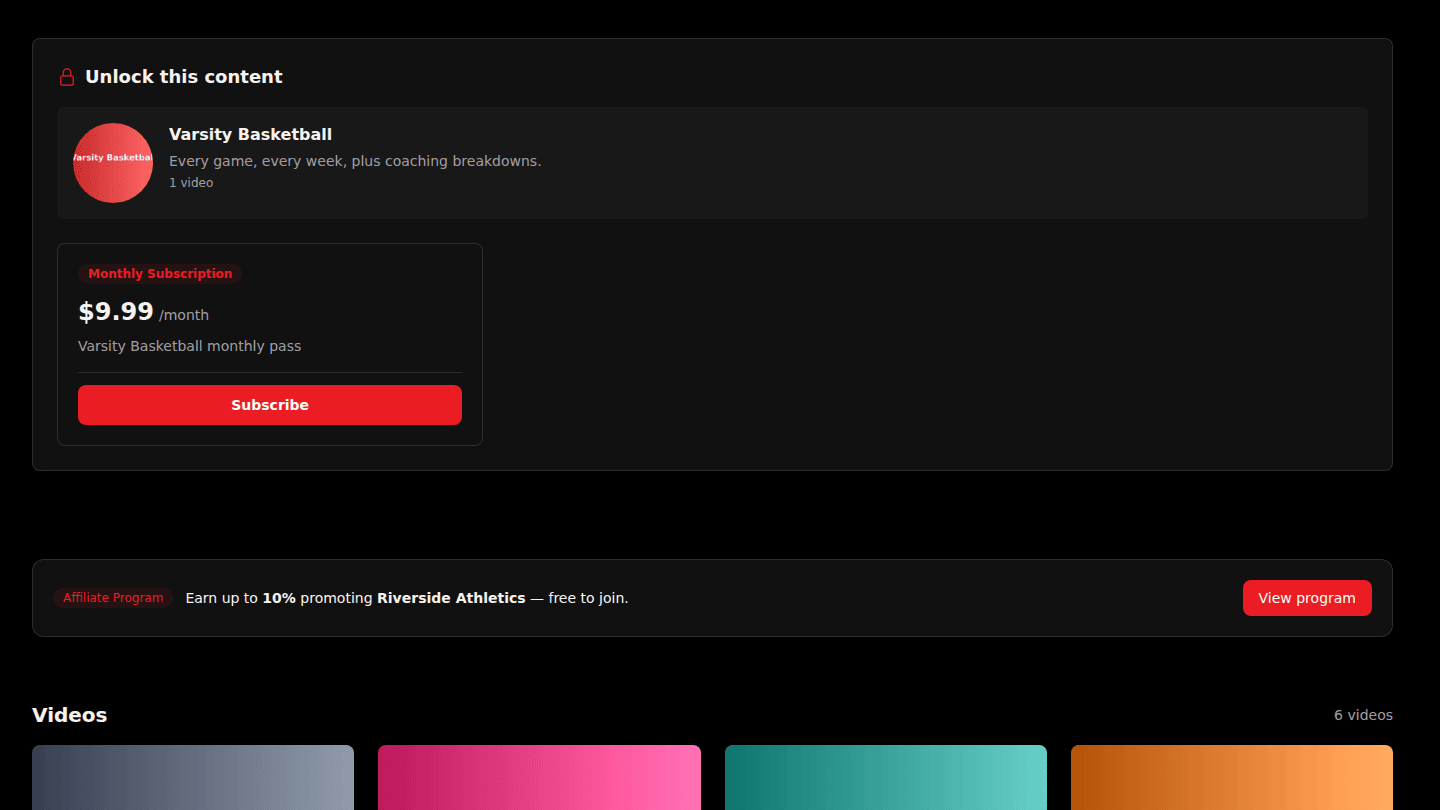
A channel or organization with a subscription shows Unlock this content with the monthly price. Choose Subscribe and pay on the secure checkout page.
Step 2: Everything inside unlocks while you subscribe
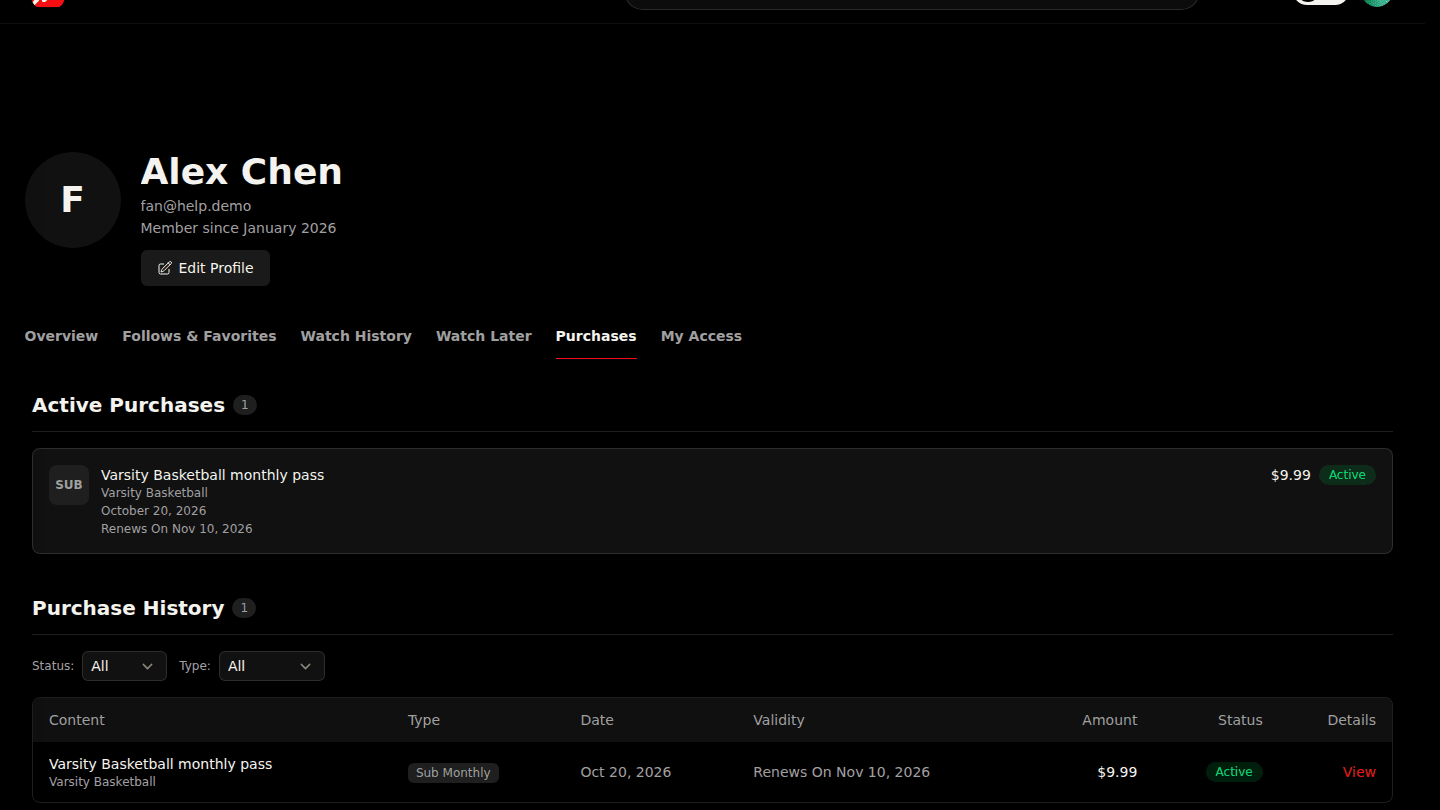
Every video inside, including ones added later, plays while your subscription is active. It renews monthly; manage, change or cancel it under Purchases on your profile.
You should see
The channel's videos playing, and the subscription under Purchases with Cancel Subscription and Change Plan.