
Watching and your library
Follow organizations and channels
Keep up with new videos and streams from the teams you care about.
For viewers
By the end new videos and streams from what you follow show up under Follows.
Before you start
- You are signed in.
Steps
Step 1: Choose Follow on a channel or organization page
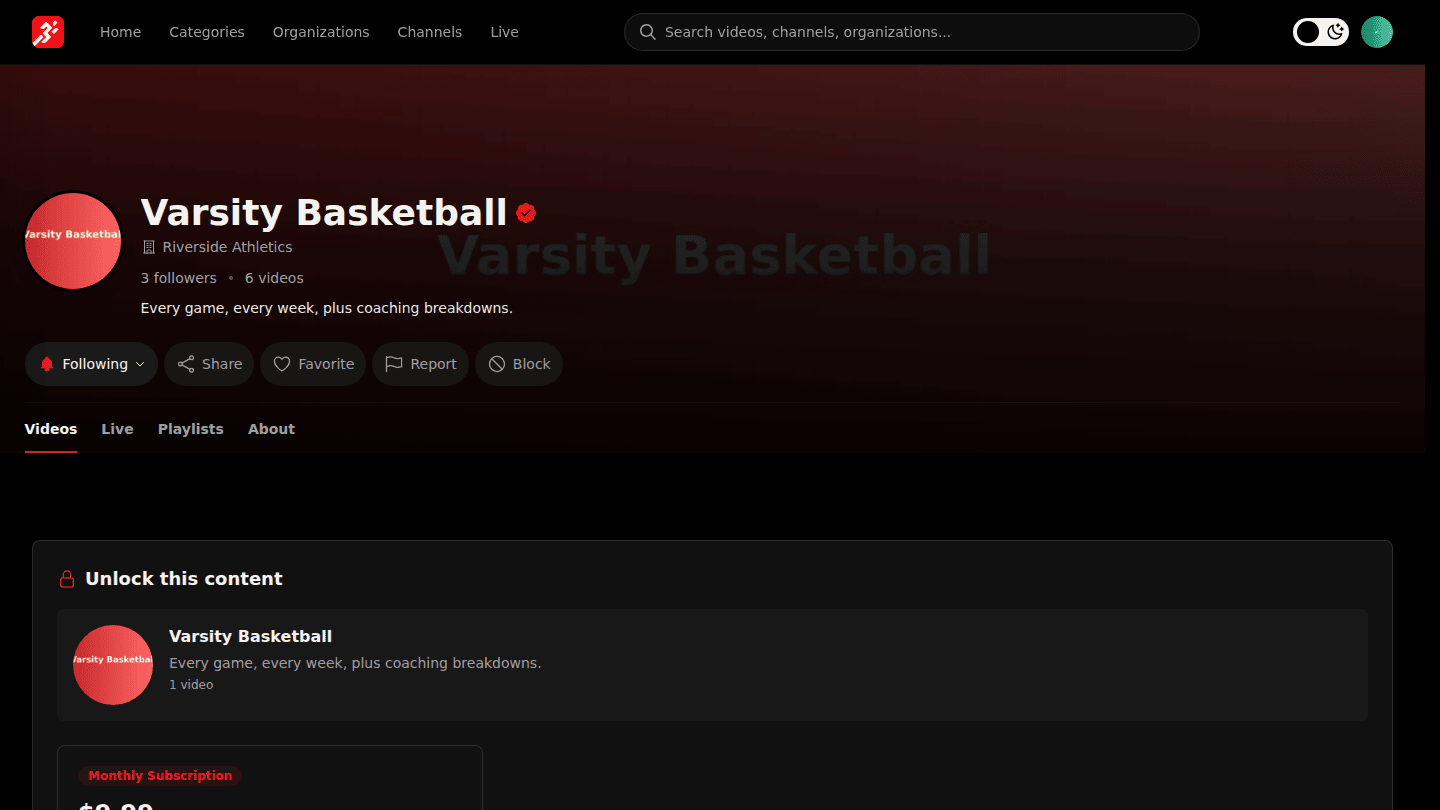
On a channel or organization page choose Follow. The button changes to Following; open it to turn notifications on or off, or to Unfollow.
Step 2: See everything you follow under My Follows
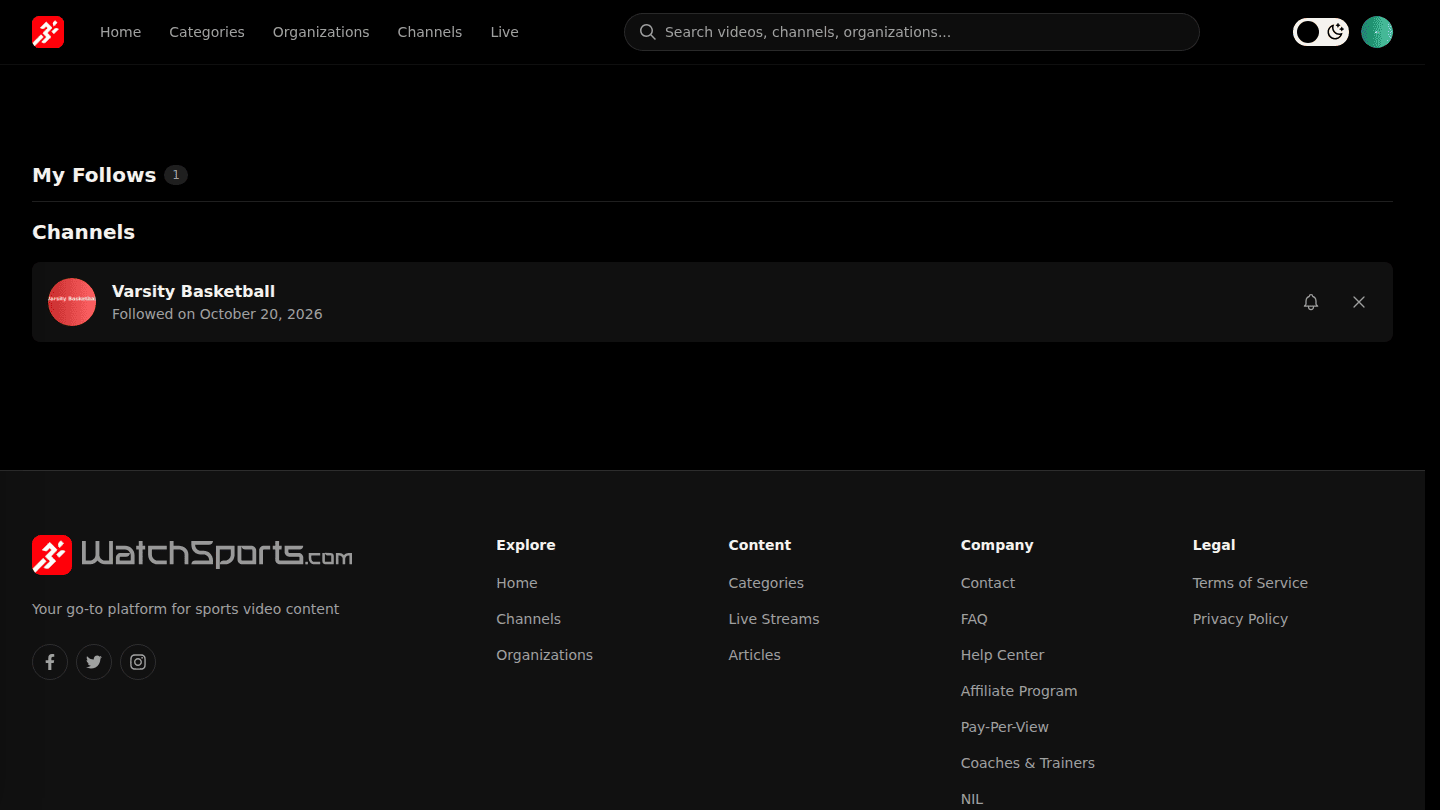
Open your avatar menu and choose Follows to see everything you follow and their newest videos and streams.
You should see
Following on the page, and the channel under My Follows.