
Getting started
Sign in to your account
Sign in with your email address and password, and find the reset link if you have forgotten it.
For viewers
By the end you are signed in and back on the page you came from.
Before you start
- You need an account. If you do not have one yet, choose Sign Up instead.
Steps
Step 1: Choose Sign In in the header

Sign In is at the top right of every page. On a phone, open the menu first.
Step 2: Enter your email address and password
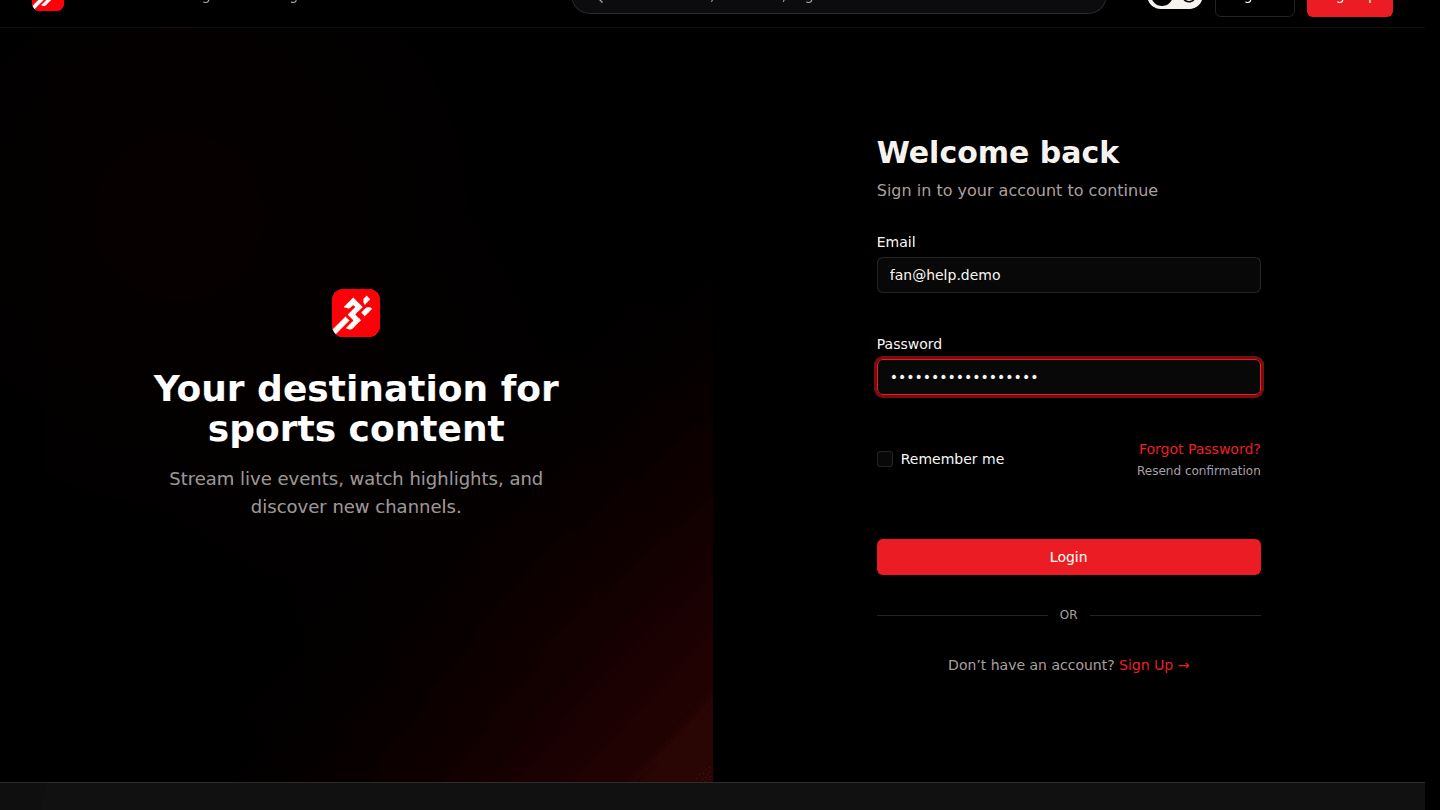
Type the email address you registered with and your password. Tick Remember me to stay signed in on this device.
Step 3: Choose Login

Choose Login. A green confirmation appears, you return to the page you came from, and your avatar replaces the Sign In button.
You should see
Your avatar replaces the Sign In button in the header.
Next steps
- Forgot your password? Choose Forgot your password? on the sign-in page and follow the email.